

AI Copilot
dblumi includes an AI assistant that can generate, explain, and optimize SQL queries.
Supported providers
Section titled “Supported providers”| Provider | Models |
|---|---|
| Anthropic | All models — Claude Opus 4, Sonnet 4, Haiku, and future releases |
| Mistral | All models served by the Mistral API — used through its OpenAI-compatible endpoint |
| OpenAI | All models — GPT-4o, GPT-4.1, o3, o4-mini, and future releases |
| Azure OpenAI | Any model deployed in your Azure subscription |
| Ollama | Any locally hosted model — Llama, Mistral, Codestral, and more |
Configure the model via environment variables. dblumi always uses the latest defaults (Claude Sonnet 4 for Anthropic, GPT-4o for OpenAI, mistral-large-latest for Mistral) but you can choose any model your provider offers.
Bring your own API key — or run fully offline with Ollama. dblumi never proxies your requests.
What the copilot can do
Section titled “What the copilot can do”- Generate SQL from a natural language description
- Explain a query in plain English
- Optimize a slow query
- Answer questions about your schema
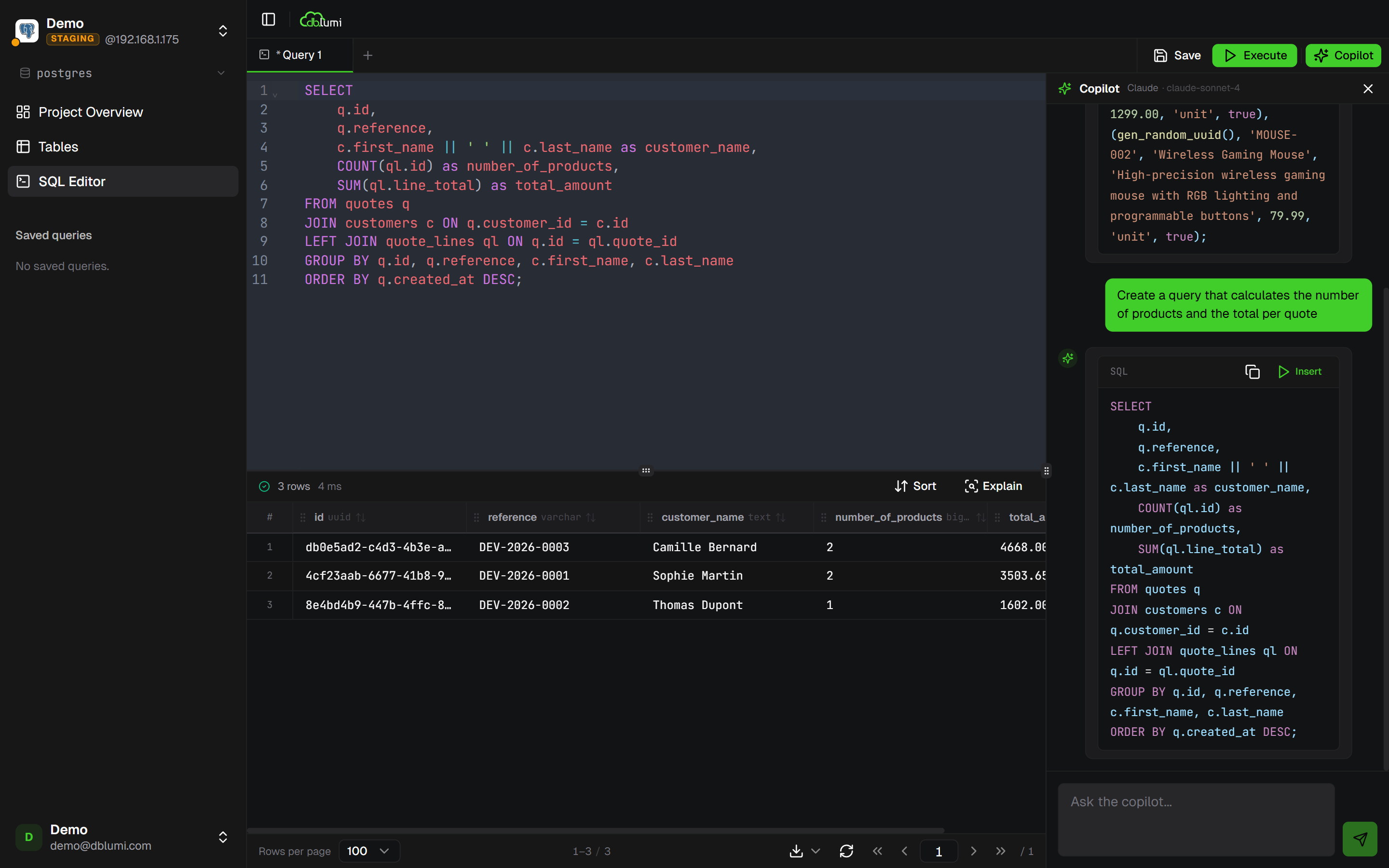
Context awareness
Section titled “Context awareness”The copilot is aware of your current query, the active table, and your database schema — so its suggestions are relevant to your actual data model.
The copilot is configured with environment variables on the server — there is no in-app key entry screen. Set the variables for the provider you want and restart dblumi:
# AnthropicANTHROPIC_API_KEY=sk-ant-...ANTHROPIC_MODEL=claude-sonnet-4-20250514
# MistralMISTRAL_API_KEY=...MISTRAL_MODEL=mistral-large-latest
# OpenAIOPENAI_API_KEY=sk-...OPENAI_MODEL=gpt-4o
# Azure OpenAIAZURE_OPENAI_API_KEY=...AZURE_OPENAI_ENDPOINT=https://your-resource.openai.azure.comAZURE_OPENAI_DEPLOYMENT=gpt-4o
# Ollama (fully local)OLLAMA_BASE_URL=http://localhost:11434OLLAMA_MODEL=llama3.2
Configure one provider at a time. If several are set, dblumi picks the first one in this order: ollama > anthropic > mistral > azure-openai > openai.
See Environment variables for the full reference.