

Schema & ERD
Browse your database schema and visualize table relationships.
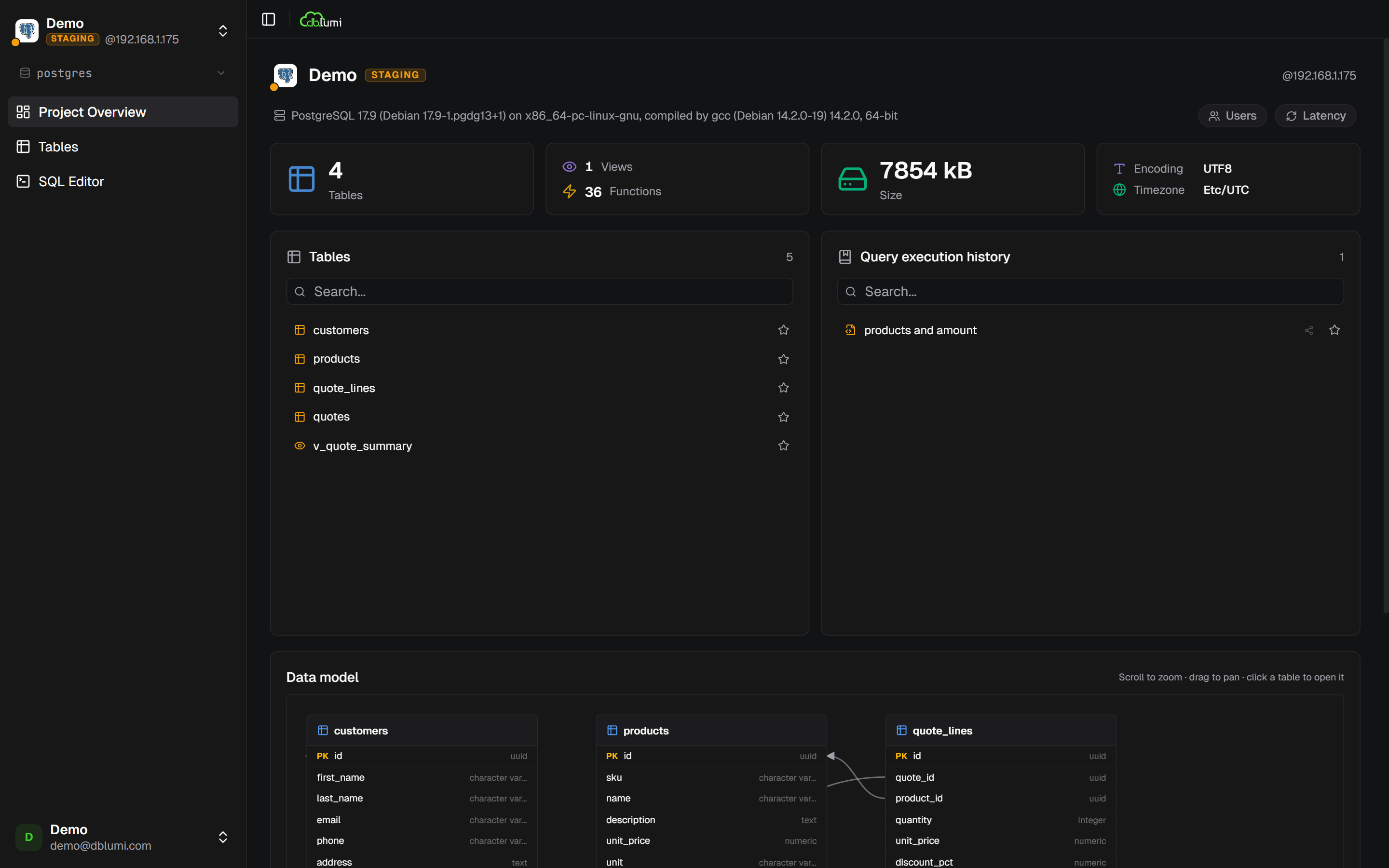
Schema browser
Section titled “Schema browser”The sidebar shows all tables, views, and functions in your database. Click any table to open it in the SQL editor.
Table explorer
Section titled “Table explorer”Click Browse on a table to see its rows, edit values, insert new rows, or delete records (with slide-to-confirm safety).
Table structure editor
Section titled “Table structure editor”Modify your schema directly from dblumi: add, edit, or remove columns. Supports database-specific data types for PostgreSQL, MySQL, and Oracle. Not available on SQL Server, Trino, Snowflake, MongoDB, and Redis connections.
ERD diagram
Section titled “ERD diagram”The Overview page includes an Entity Relationship Diagram of your database. It shows all tables and their columns at a glance.