
REST API & Swagger
Every action available in the dblumi interface is also accessible through a REST API, making it easy to automate workflows, integrate with CI/CD pipelines, or build custom tooling.
Swagger documentation
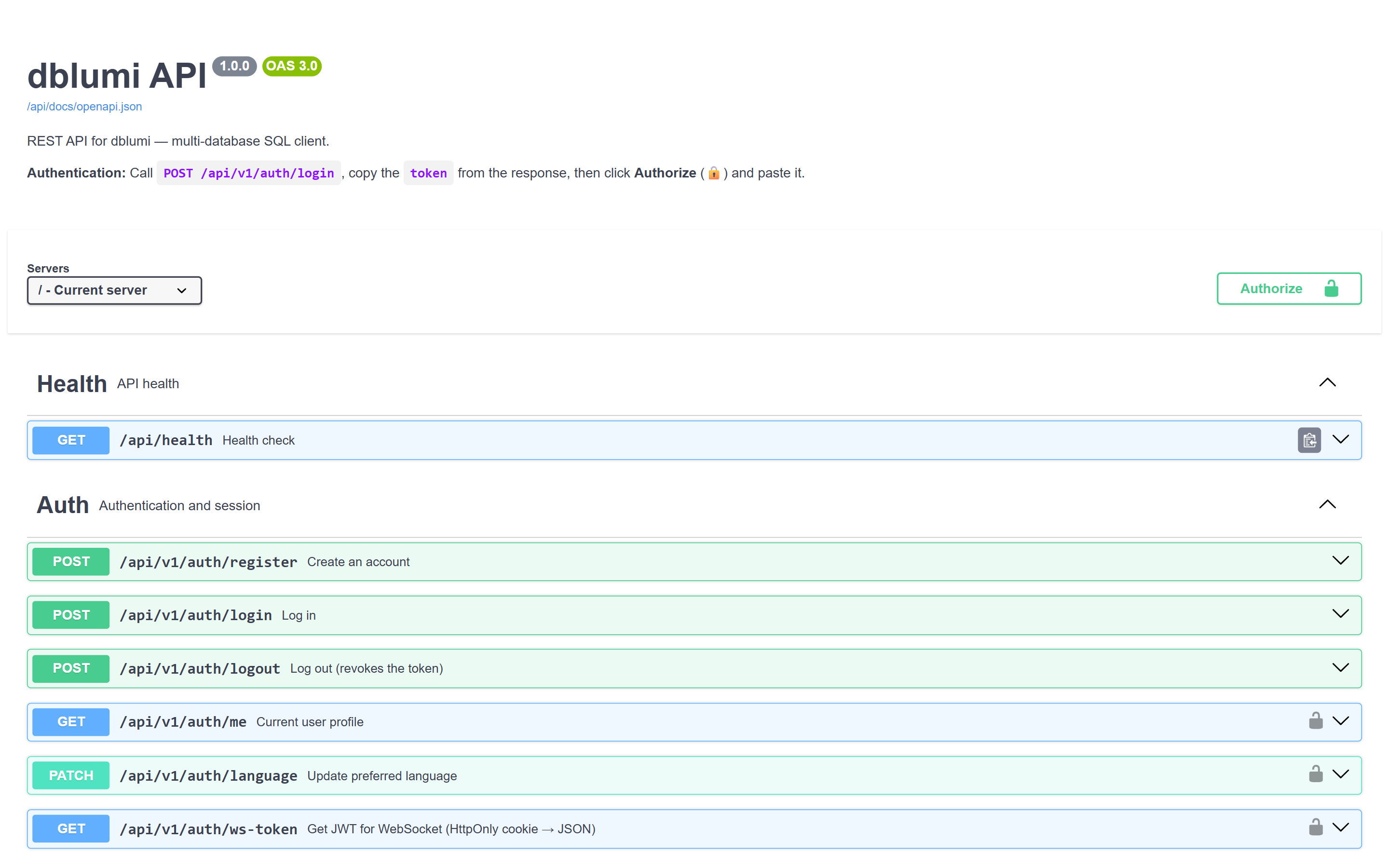
Section titled “Swagger documentation”dblumi ships with interactive Swagger documentation available at /api/docs. Browse all available endpoints, try them out directly from your browser, and inspect request/response schemas.
What you can do
Section titled “What you can do”The API covers every feature:
- Connections — create, update, delete, and test database connections
- Queries — execute SQL, fetch results, and manage saved queries
- Users & groups — manage team members, roles, and permissions
- Schema — browse tables, columns, indexes, and constraints
- Saved queries — CRUD operations, sharing, folders, and version history
OpenAPI spec
Section titled “OpenAPI spec”The API follows the OpenAPI specification. Use the spec to generate client libraries in any language — TypeScript, Python, Go, Java, and more.
Authentication
Section titled “Authentication”All API endpoints require a valid JWT token. Authenticate via the /auth/login endpoint to obtain a token, then include it in the Authorization header of subsequent requests.