

Collaboration
Several people work on the same base at the same time: each one sees the others’ writes come in, knows who is looking at what, and discusses a row right where it is.
Comments
Section titled “Comments”A row’s details have a Comments tab, between “Details” and “History”. Type @ to
mention a member, Ctrl+Enter to send. Everyone can edit or delete their own comments.
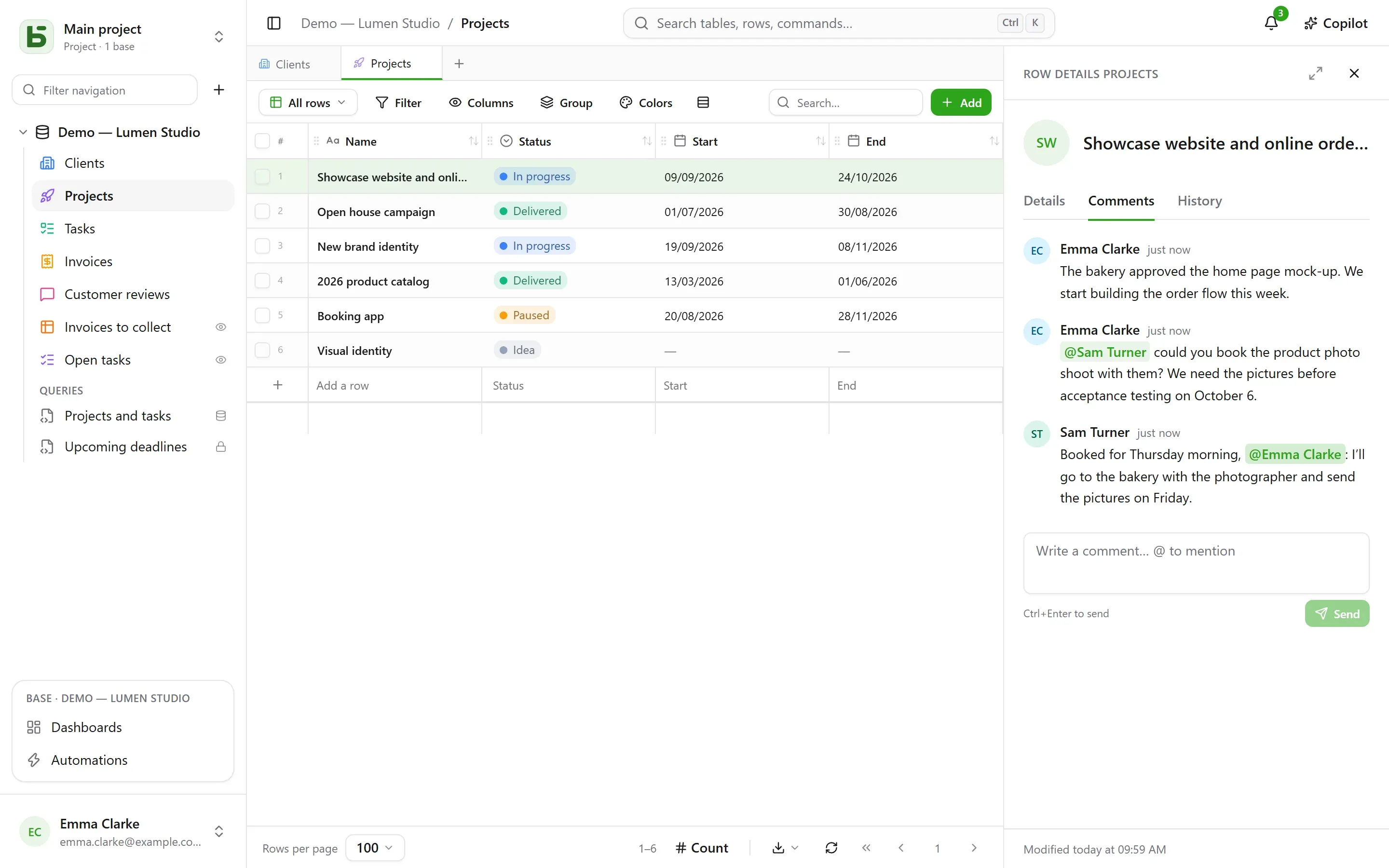
Being able to read the row is enough to comment on it. A mentioned person who cannot read it is not notified — and the author is told so, rather than believing the message went out.
Notifications
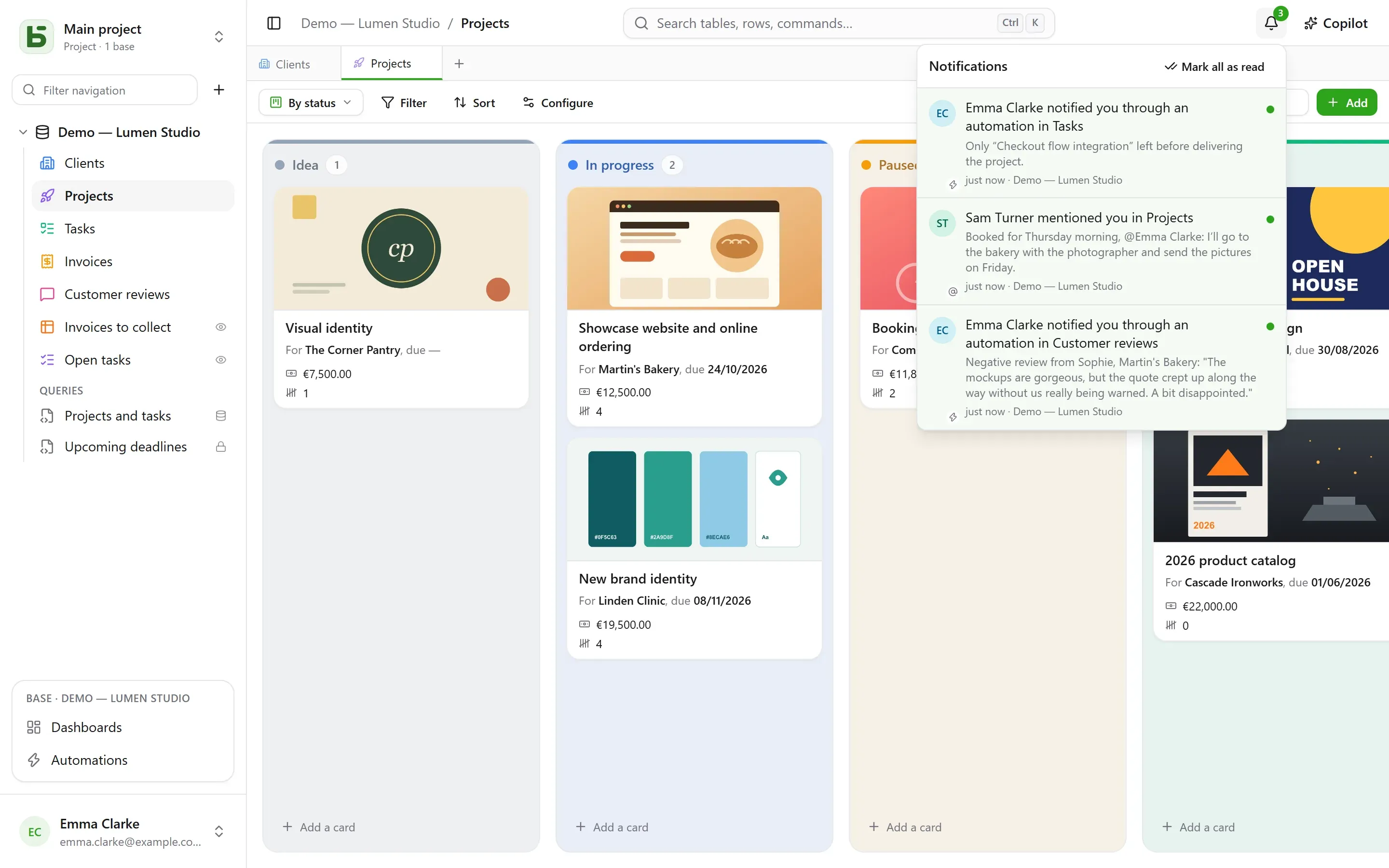
Section titled “Notifications”The bell, at the top right, counts what is unread. Four things arrive there:
- someone mentions you in a comment;
- someone replies in a conversation where you wrote;
- someone assigns you in a Person field — from the interface, the API, a form or an automation;
- an automation notifies you.
Opening a notification opens the row. Mark all as read clears the counter; notifications are kept for 90 days.
By email
Section titled “By email”When the instance has a mail server, a notification left unread for ten minutes also goes out by email: a single email for everything still waiting, with a link to each row. What you read in time does not go out. In Settings › Notifications, each kind has two switches: in basedb, and by email.
Real time
Section titled “Real time”Other people’s writes appear without reloading: an edited cell, a moved card, an added row — whether they come from the interface, the API, an agent or direct SQL. The server only sends a signal, never data: it is the screen that reads again, with your permissions. A cell you are editing is never replaced under your fingers.
Presence
Section titled “Presence”The faces of the people looking at the same table appear at the top of the screen; those who have opened the same row, in the header of its details. In the grid, other people’s pointers appear on the cell they are hovering over.
A link to every screen
Section titled “A link to every screen”The browser’s address follows what you are looking at: a table, one of its views, a row’s details, a dashboard, an automation, a question, your settings. Paste it into a message: your colleague arrives at the same place, with their own permissions. Bookmark it; the browser’s back and forward buttons bring you back to where you were.
| Address | What it opens |
|---|---|
/bases/ventes/tables/opportunites | the “Opportunités” table in the “Ventes” base |
/bases/ventes/tables/opportunites?vue=… | one of its views |
/bases/ventes/tables/opportunites?ligne=… | the details of one of its rows |
/bases/ventes/tableaux-de-bord/… | a dashboard |
/bases/ventes/automatisations/… | an automation |
/parametres/apparence | your settings |
An address names a place, not the state you left it in: filters, sorts and column widths stay those of each browser. A base and a table are written there by their PostgreSQL name: renamed, the old address no longer leads anywhere. An address that leads nowhere — a typo, a deleted object, or one you are not allowed to see — shows “This page does not exist”.
Ctrl+Z undoes your last write — see the history.
Limits
Section titled “Limits”- No email without a mail server configured by the operator.
- Beyond a hundred rows changed at once, the screen reloads the whole page rather than row by row.
basedb is open-source software by Eodia, an AI-native software studio.