

REST API
The REST API is the same one the interface uses: there is no private route. Its URLs carry the physical names — the ones you also read in SQL.
/api/v1/<tenant>/data/<base>/<table>/api/v1/t4z56fq/data/b_t4z56fq_ventes/opportunitesA token
Section titled “A token”In the interface, the base’s ⋯ menu → API and agents → API and MCP tokens…: whoever has the Manage level on the base, or on its project, creates an integration token there, limited to that base — all its environments, or just one —, read-only by default, after confirming their password — an account without a password, which signs in through an identity provider, cannot do so yet. It is shown only once; put it in an environment variable.
A token reads; it creates and updates if it was created with write access, and deletes if it was created for that — “Read, write and delete” rights, except a row that a cascading relation would take along with others. It never has more permissions than the person who created it.
export BASEDB_TOKEN=bdb_…curl "http://localhost:3000/api/v1/t4z56fq/data/b_t4z56fq_ventes/opportunites?limit=20" \ -H "Authorization: Bearer $BASEDB_TOKEN"Choose the environment
Section titled “Choose the environment”A base that has several environments — production,
staging… — remains one base for a token created for the whole base. The path names the base
by the name of its production, and the X-Basedb-Environment header chooses the environment:
curl "http://localhost:3000/api/v1/t4z56fq/data/b_t4z56fq_ventes/opportunites" \ -H "Authorization: Bearer $BASEDB_TOKEN" \ -H "X-Basedb-Environment: recette"- Without the header, the environment is the one the path names:
b_t4z56fq_ventesis production,b_t4z56fq_ventes_recetteis staging — both spellings remain valid. ?environment=recettedoes the same for a client that doesn’t set a header.- An environment is named by its badge, ignoring case and accents, or by
production. An environment the base doesn’t have answers404, like any missing resource. GET /api/v1/<tenant>/meta/baseslists every environment with itsenvironmentblock (label,production); with the header, it lists only that one.
A token limited to a single environment, when it was created, opens no other: the header changes nothing. Its permissions are always intersected, environment by environment, with those of the person who created it.
Reading
Section titled “Reading”| Parameter | Role |
|---|---|
filter | a readable expression: statut eq "gagne" and montant gte 10000 |
sort | -montant,nom |
fields | the columns to return |
limit, after | pagination with an encrypted cursor: a page’s meta.next_cursor, passed as after, gives the next one (meta.has_next_page) |
links=display | relations with their display value |
count=exact | the total, capped at 100,000 |
variables=raw | long texts as written, {{colonne}} included, rather than with the row’s values |
The operators: eq, ne, eq_ci, contains, starts_with, ends_with, in, is_null,
gt, gte, lt, lte, between, combined with and, or, not and parentheses. A filter
can go across a relation: clients_id.ville eq "Lyon".
Writing
Section titled “Writing”curl -X POST "http://localhost:3000/api/v1/t4z56fq/data/b_t4z56fq_ventes/opportunites" \ -H "Authorization: Bearer $BASEDB_TOKEN" -H "content-type: application/json" \ -d '{"values": {"nom": "Audit RGPD", "statut": "nouveau", "montant": 12000}}'PATCH …/<table>/<_id> updates a row with the same {"values": {…}} body. Errors have a
single shape: { "code": "…", "details": {…}, "request_id": "…" }, with a stable code per
cause.
Every write returns the x-basedb-transaction header: passing it to
POST /api/v1/<tenant>/history/undo ({"transaction": "…"}) undoes it, like Ctrl+Z in the
interface — refused if the row has been changed since.
Beyond rows
Section titled “Beyond rows”With the same token:
| Route | Role |
|---|---|
GET …/data/<base>/<table>/aggregate | summaries over all the rows of a filter: aggregates=montant:sum,nom:filled, group=statut |
GET …/data/<base>/<table>/<_id>/comments, POST | read and write a row’s comments |
POST /api/v1/<tenant>/automations/<id>/run | run a button-triggered automation on a row ({"record": "…"}) |
GET /api/v1/<tenant>/meta/bases/<base>/dashboards | a base’s dashboards |
GET /api/v1/<tenant>/meta/users | the workspace’s members, for a Person field |
GET /api/v1/<tenant>/meta/templates | the base templates in the gallery |
GET /api/v1/<tenant>/events?base=<base>&table=<table> | follow a table in real time: signals, read back afterwards through the routes above (see Webhooks) |
Shared views can be read without an account:
GET /api/v1/views/<jeton> and …/rows in JSON, …/calendar.ics in iCalendar.
Building — creating an automation, a dashboard, an integration — remains reserved for an interface session: a token reads and writes rows, it does not change the base.
Colors and icons
Section titled “Colors and icons”A table and each choice of a choice list have a color (color, #rrggbb) and an icon (icon,
the name of a Lucide icon that the interface draws: truck,
circle-check, flame…). GET …/meta/bases/<base> returns them for the base, its tables and the
options of its fields.
To set them, use the access token of a person who can change the schema
(POST /auth/session/access) — an integration token does not change the base:
| Route | Body |
|---|---|
POST …/admin/bases/<base>/tables | {"label": "Tickets", "color": "#dc2626", "icon": "flame", "fields": […]} |
PATCH …/admin/bases/<base>/tables/<table> | {"color": "#2563eb", "icon": "inbox"} — the three keys color, icon, image travel together: naming one replaces all three |
POST …/admin/bases/<base>/tables/<table>/fields | {"label": "Priorité", "kind": "select", "options": [{"value": "haute", "color": "#dc2626", "icon": "flame"}, …]} |
PUT …/admin/bases/<base>/tables/<table>/fields/<champ>/options | the whole list of options, in order, each with its color and its icon |
An agent goes through the MCP server, where it proposes these changes. A field has no icon to choose: the interface draws the one for its type.
Creating a base from a template
Section titled “Creating a base from a template”An application being installed creates its base in a single call: the server applies the template — tables, fields, relations, sample rows, views, dashboards, automations — and, if a step fails, leaves no base behind.
curl -X POST "http://localhost:3000/api/v1/t4z56fq/admin/bases" \ -H "Authorization: Bearer $ACCES" -H "content-type: application/json" \ -d '{"template": "crm", "label": "Ventes", "rows": false}'template is the key of a gallery template, or a whole template in the
template format. With the Accept: application/x-ndjson
header, the response arrives line by line: one {"step": …} line per step, then the created
base. This call needs the access token of a person who can create a base
(POST /auth/session/access, after signing in): an integration token only opens an existing
base.
Checking a token
Section titled “Checking a token”basedb’s tokens cannot be checked outside basedb. An application that receives one — a tool opened from basedb with the person’s token, for example — asks what it is worth (introspection, RFC 7662), with its own integration token:
curl -X POST "http://localhost:3000/auth/introspect" \ -H "Authorization: Bearer $BASEDB_TOKEN" \ --data-urlencode "token=$JETON_RECU"{ "active": true, "token_type": "access_token", "sub": "0195a…", "email": "claire@example.com", "name": "Claire Martin", "tenant": "t4z56fq", "groups": ["Commerciaux"], "exp": 1790000000 }Any token that is not valid — unknown, expired, revoked, session closed, other workspace —
answers {"active": false}, without saying why. The answer is read live: a sign-out shows up
immediately. For an integration token, the answer also gives the base it opens (base, its
production), whether it opens all its environments (environments: all) or just one (one),
its access (read, write or delete) and its surfaces.
The generated documentation
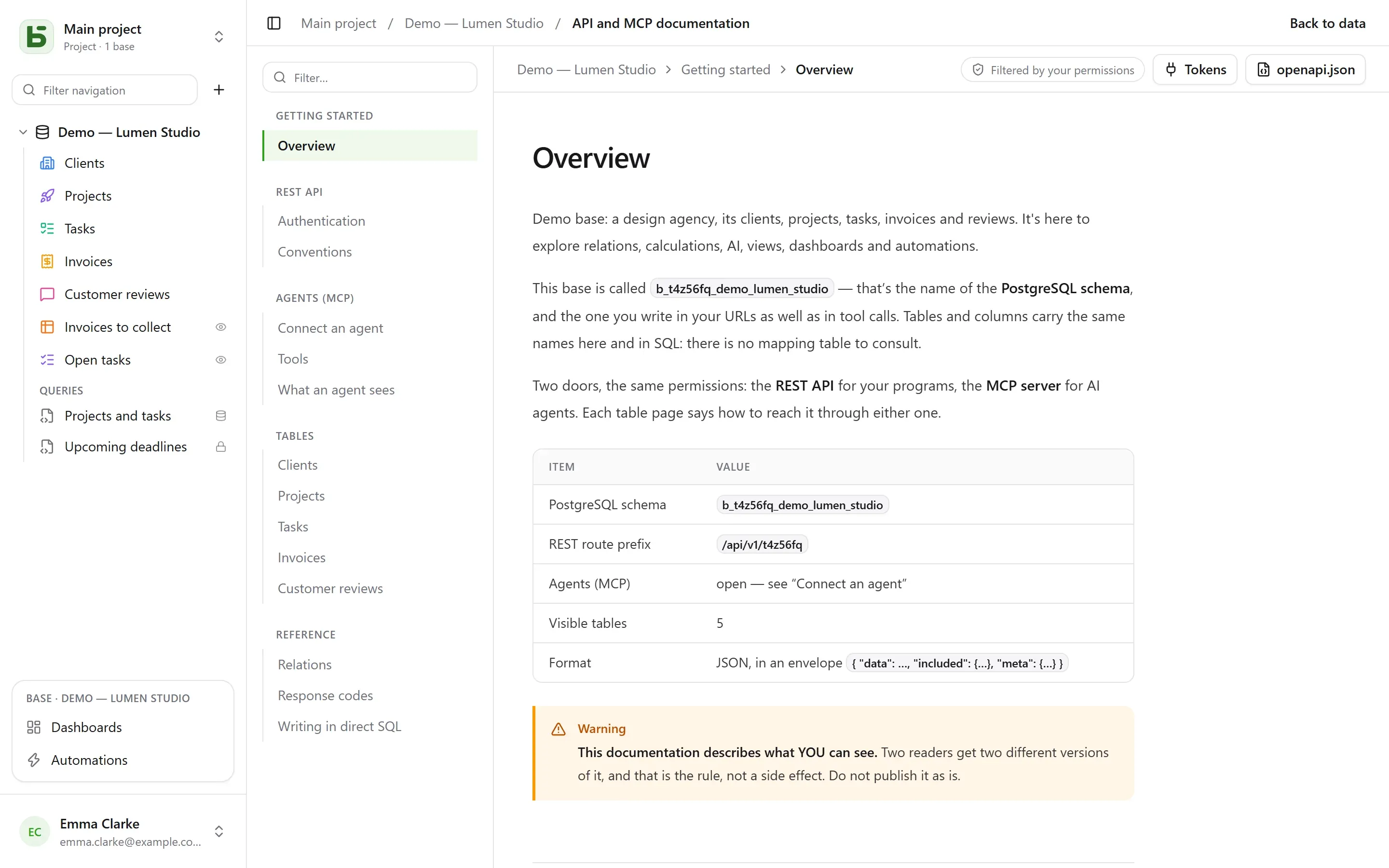
Section titled “The generated documentation”Each base has its API and MCP documentation page: for each table, its endpoints, its
columns, examples in cURL and in JavaScript. It is filtered by your permissions — two
readers get two versions —, written in the language of your screen, and also exists as
OpenAPI 3.1 (/api/v1/<tenant>/meta/bases/<base>/openapi.json), which declares the Bearer token
and the X-Basedb-Environment header. Names, paths and error codes stay the same in every
language.
basedb is open-source software by Eodia, an AI-native software studio.