

History
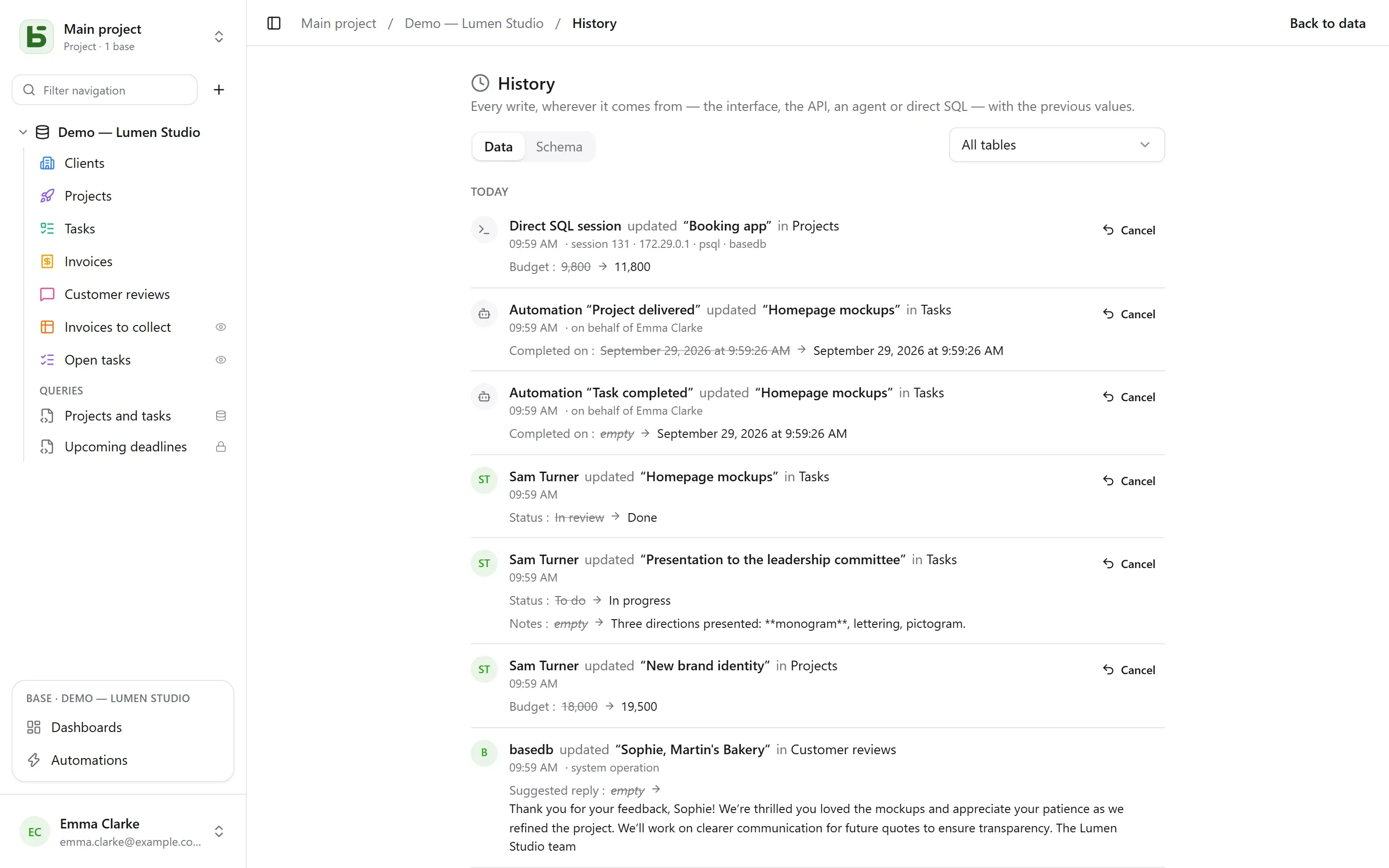
basedb records every write in its history, wherever it comes from: the interface, the API,
an MCP agent, a public form — and even an SQL query typed by hand in psql.
How it is captured
Section titled “How it is captured”Not by the application, but by PostgreSQL triggers, within the very transaction of the write. A write that fails leaves no trace; a write that succeeds cannot miss one. Revisions are then moved into immutable logs, partitioned by month.
Identity travels through session variables set at the start of each transaction. A write that
carries none — direct SQL — is recorded as such, with the session that made it (psql,
address, process): it is never refused for that reason.
| Actor | Shown as |
|---|---|
| a person | their name |
| a program (API) or an agent (MCP) | the person who created the token, “via token …” |
| a public form | “Form ‘…’ · public response” |
| an automation | “Automation ‘…’ · on behalf of” the person responsible for it |
| direct SQL | “Direct SQL session” |
What you can do with it
Section titled “What you can do with it”- Read the history of a row (the “History” tab of its details), of a table or of a base (History, in the base’s ⋯ menu), filtered by table.
- Undo a change: the previous values are applied again, field by field.
- Restore a deleted row from its “deleted” entry.
- Follow the schema history (the “Schema” tab): tables and fields created, changed, deleted.
Undo (Ctrl+Z)
Section titled “Undo (Ctrl+Z)”In the grid, Ctrl+Z (⌘Z on Mac) undoes your last write; Ctrl+Shift+Z or Ctrl+Y redoes it. A message confirms what was undone — “Undone: change to ‘Montant’” — with a button to go back on the undo.
This undoes a cell, a moved card or bar, a created or deleted row, a paste — and a whole import, counted as a single action. Up to fifty actions, tab by tab.
It is not the screen going back in time: it is a new write, made by the server from the history, and recorded in the history too. It is refused if someone has changed the row since — “Cannot undo: ‘Statut’ has been changed since” — rather than overwriting their work. You can only undo your own writes this way, from the last twenty-four hours, and never the schema. In a cell you are typing in, Ctrl+Z remains the text editor’s undo.
Permissions
Section titled “Permissions”The history follows read permissions: a field hidden from you does not appear in the revisions you read.
basedb is open-source software by Eodia, an AI-native software studio.