

Tables and fields
Every basedb table is a PostgreSQL table; every field, a typed column. The label you type
(“Échéance”) becomes a readable physical name (echeance) through a stable
slugification: no accents, lowercase, no reserved words.
| Type | PostgreSQL column | Notes |
|---|---|---|
| Short text | text | one line |
| Long text | text | Markdown: an excerpt in the grid, the rendered text on hover, a dedicated editor; can cite a column |
| Rich text | text + CHECK | HTML sanitized on write, written in a visual editor — see below |
| Number | numeric | never floating point: an amount does not drift |
| Currency, Percent, Duration, Rating | numeric | a number and its display format: 12,50 €, 15 %, 1:30, ★★★★☆ |
| Checkbox | boolean | |
| Date | date | |
| Date and time | timestamptz | an absolute instant, shown in the reader’s time zone |
| Single select | text + CHECK | a color, icon or image per option |
| Multiple select | text[] + CHECK | filterable with the array operators |
text + CHECK | an address checked by the database, opened in one click | |
| Phone, Barcode, Address | text | a short text and its format: call link, monospace, link to the map |
| URL | text + CHECK | completed as you type (exemple.fr → https://exemple.fr) |
| Person | uuid | a member of the workspace; assigning them notifies them |
| Autonumber | bigint identity | also numbers the rows already there; nobody types it |
| Relation | uuid + FOREIGN KEY | a real foreign key to the target table |
| Multiple relation | uuid[] | several linked rows, whose integrity is kept by a trigger |
| Formula | STORED generated column | computed by PostgreSQL — or on read, see Formulas |
| Lookup, Rollup, Count | none | computed on read, across a relation |
| Button | none | opens an address or runs an automation |
| File, Image | jsonb (metadata) | the bytes go to file storage |
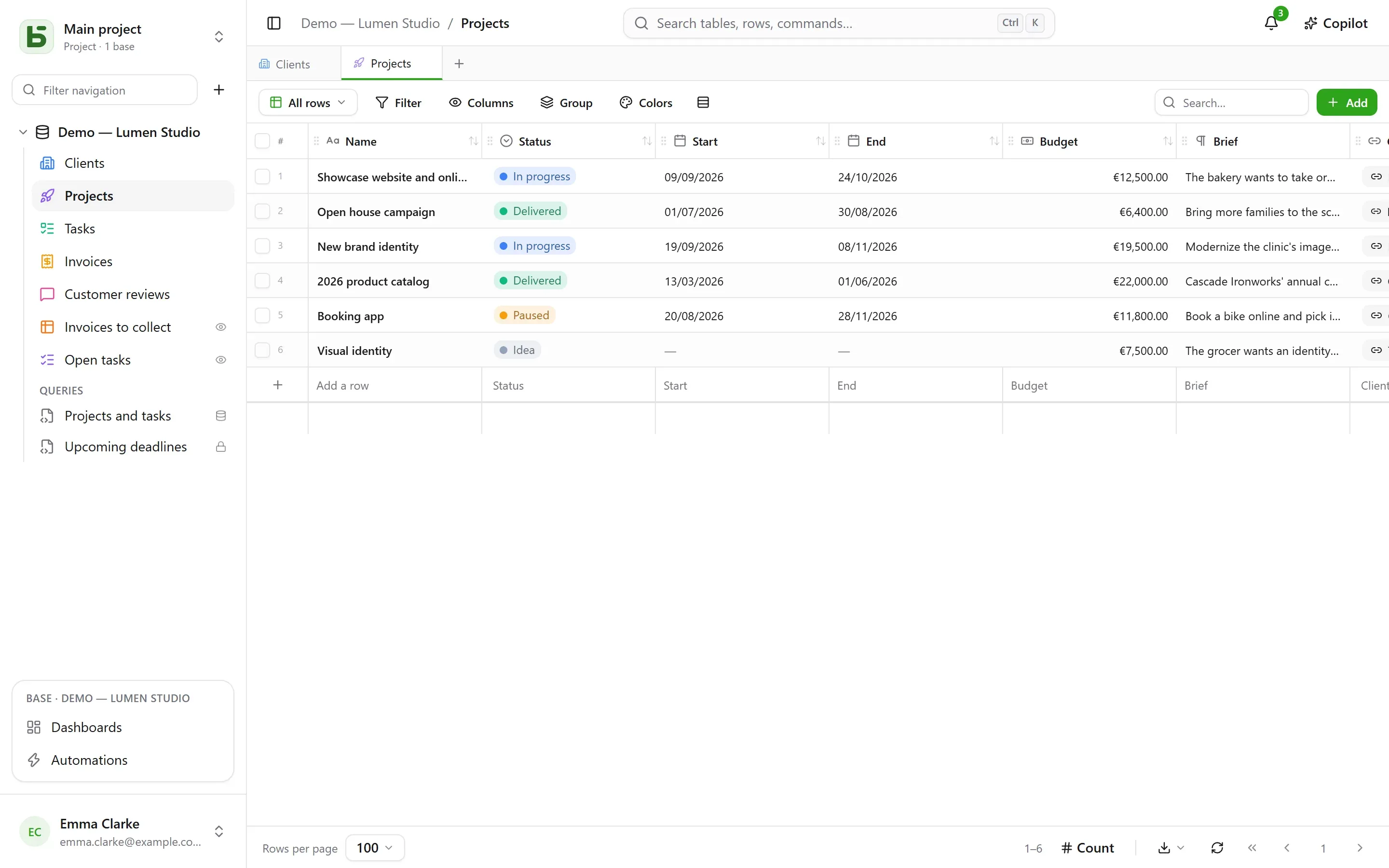
Every table also carries its system columns: _id (UUID v7), _created_at,
_updated_at, _created_by, _updated_by — maintained by a trigger, never writable through
the API. The grid files them under System information, in the columns menu: they are on
every table, and useful on few.
Constraints enforced by the database
Section titled “Constraints enforced by the database”What the interface promises, PostgreSQL guarantees. A single select is a CHECK constraint;
a relation, a FOREIGN KEY; a URL or an email address, a regular expression. A direct SQL
write that violates them is rejected, just as in the interface:
Check constraints: "ck_opportunites__statut__enum" CHECK (statut = ANY (ARRAY['nouveau', 'qualifie', …]))Foreign-key constraints: "fk_opportunites__clients_id" FOREIGN KEY (clients_id) REFERENCES b_t4z56fq_ventes.clients(_id)Display formats
Section titled “Display formats”Currency, Percent, Duration, Rating, Phone, Barcode and Address are chosen like types, but they are formats: the column stays a number or a text, only the way it reads changes.
| Format | On | Reads and is entered as |
|---|---|---|
| Currency | a number | 12 500,00 € — euro, dollar, pound, Swiss franc, Canadian dollar, yen |
| Percent | a number | 15 % |
| Duration | a number of seconds | 1:30, and is entered as 1h30, 90 min |
| Rating | a number | from 1 to 10 stars, set in one click |
| Phone | a short text | a call link |
| Barcode | a short text | in monospace |
| Address | a short text | a link to the map; in the row details, Find address offers matching addresses, written in full; the Map view places it |
A format can be changed afterward (Display, when editing the field) without touching the stored values. It does not bound the value: a rating of 7 on a 5-star scale stays 7.
Default values
Section titled “Default values”In a field’s editing panel, Default value sets what a row created without it receives:
| Choice | On | The created row receives |
|---|---|---|
| A fixed value | most types | the chosen value — a status “New”, a priority of 3 |
| Today’s date | a date | the day it was created, in the person’s time zone |
| The moment of creation | a date and time | the exact time |
| The person creating the row | a person | whoever created it — “Owner: me” |
The new row details and forms open prefilled; clearing the field leaves it empty. The default applies to every creation — interface, API, MCP, import, shared form, automation — including on a field the person cannot edit: it is the table’s rule. Existing rows do not change, and an insert in direct SQL receives none of it: basedb applies it, not the column.
Formulas
Section titled “Formulas”Formulas are written in English (the French names work too), with fields in square brackets and arguments separated by ,:
ROUND([Montant HT] * (1 + [Taux de TVA]), 2)IF([Payée], FALSE, DAYS(TODAY(), [Échéance]) > 0)DAYS([Fin], [Début])The editor suggests fields to insert and has a functions panel; an error names the field or the character at fault.
| Family | Functions |
|---|---|
| Logic | IF, IFBLANK, ISBLANK, AND, OR, NOT, TRUE, FALSE |
| Numbers | ROUND, ABS, CEILING, FLOOR, MIN, MAX |
| Text | UPPER, LOWER, TRIM, LEFT, RIGHT, LEN, TEXT, VALUE |
| Dates | YEAR, MONTH, DAY, WEEKDAY, DAYS, ADD_DAYS, DATE, TODAY, NOW |
| Operators | + - * /, & to join text, = <> < <= > >= |
A formula becomes a PostgreSQL generated column: psql and your tools read it like any
other. One that depends on the current day (TODAY(), NOW()) or that cites a
lookup or a rollup is computed on read: it can be filtered and sorted in basedb, but does
not exist in direct SQL.
A formula cites neither another formula nor a relation directly — a lookup does that. Extracting or replacing part of a text will come later.
Lookups, rollups and counts
Section titled “Lookups, rollups and counts”Three fields read across a relation, in either direction — “the project’s client”, but also “the tasks linked through Projet”:
- a lookup brings back a value from the linked row, or the list of values: the city of a project’s client;
- a rollup computes over the linked rows: number of values, sum, average, minimum, maximum — a client’s revenue, the average rating of its reviews;
- a count counts the linked rows: the number of tasks in a project.
They are computed on every read, with the reader’s permissions: if the linked table is closed to you, so is the field. They can be filtered and sorted. They follow a single relation, cannot be written, have no column — so they do not exist in direct SQL — and appear neither in imports, nor in forms, nor in the history.
Relations
Section titled “Relations”A relation links a row to a row of another table in the same base. The grid shows the
display value of the target row — the column you designate as such for its table — and
filters go across the relation (clients_id.ville eq "Lyon"). The rows that point to a row
are shown in its row details.
Check Allow multiple linked rows and the relation becomes multiple: a task depends on
several tasks, an article belongs to several categories. Linked rows are shown as chips, are
picked through a search, and open in one click from the row details. Deleting a target row
removes it from the lists that cited it — or is refused, if you chose so. The has_any,
has_all and is_null filters apply, and they too go across the relation
(taches_ids.titre contains "logo"). A multiple relation cannot be sorted or grouped, and
cannot be imported yet.
Button
Section titled “Button”A Button field has no value: it acts. It opens an address — https:// or mailto:,
which can cite the row (mailto:{{E-mail}}) — or runs an automation triggered by a button
on the same table. It is shown in the cell, on the card and in the row details.
Descriptions
Section titled “Descriptions”A base, a table and a field carry a description, editable without a migration. It is
copied into the COMMENT ON that psql reads, into the generated documentation, and into
what an agent reads through describe_table.
Rich text and variables
Section titled “Rich text and variables”Rich text is the HTML variant of long text, chosen when the field is created (“Rich text
(HTML)”): headings, bold, italic, underline, strikethrough, lists, quotes, code, links and
separators, in a visual editor. The HTML is sanitized on write, whether it comes from the
interface, the API, the MCP server or an import, and a CHECK constraint also rejects the
dangerous forms written directly in SQL (<script>, on… attributes, javascript:). No
images, no tables, no colors: what the database would not keep is not offered.
A long text — plain or rich — can cite a column of its row. The editor’s Column menu
inserts the citation at the cursor: a chip in rich text, {{Ville}} in Markdown.
Delivery scheduled for
{{Livraison}}in{{Ville}}.
- The column keeps the citation as written —
{{ville}}, by its physical name: that is whatpsqlreads. - Everywhere else — the grid, the row details, the API, the MCP server, shared views, automations — the text reads with the row’s value: “Delivery scheduled for October 2, 2026 in Lyon.” Changing the city changes the text.
- A single select reads as its label, a person as their name, a date in your format; a value inserted into rich text is never markup.
- A column the reader cannot read gives nothing: neither its value nor its name.
Rich text cannot be filled by AI: a model writes text, not sanitized HTML.
Changing the schema
Section titled “Changing the schema”The base’s Schema screen — in its ⋯ menu in the sidebar — lists the tables and their fields: add, rename, make required, reorder, describe, designate the display field.
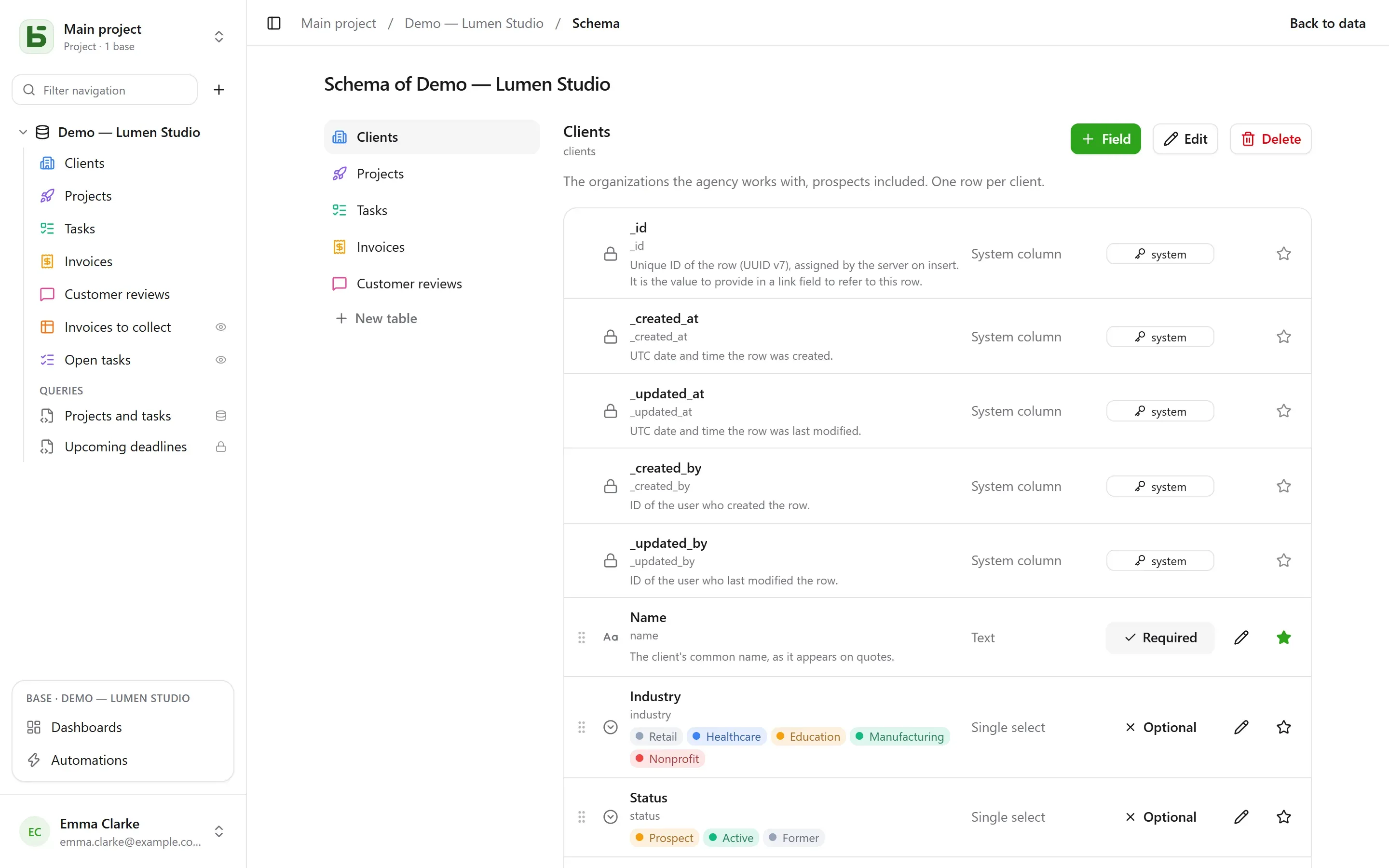
Changing the schema requires the Manage level. Without it, the screen can be viewed and offers nothing: no button, no pencil, no handle — whether a field is required and which one is the display field are stated, not offered. The server refuses every change anyway; the screen no longer pretends to accept it.
Adding, renaming or changing the type of a field goes through the migration engine: a plan in steps, short locks, and a named refusal when a value does not convert.
Renaming a base, a table or a field happens in a single dialog. The label always changes,
without a migration. Below it, an administrator sees “Also rename in the database: clients
→ comptes”: checked, it also changes the physical name, and the impact analysis appears —
the queries, SQL views and automations that cite the old name. The old name stays served by
a compatibility alias — a view — while you update your queries.
Deleting erases nothing right away: the table or base is set aside (zz_supprime_…) and
stays readable in SQL. A deleted base can be restored; bringing back a single table from the
interface is coming. The final purge is reserved for
administration, thirty days later, and starts with a verified CSV export.
basedb is open-source software by Eodia, an AI-native software studio.