

SQL queries and views
Your tables are real PostgreSQL tables, and the interface queries them in SQL, under their real
names. Every member of the base can write a query and save it under the tables — for
themselves only, for the whole base or for a few groups —, and whoever manages the base can turn
it into an SQL view: a real PostgreSQL view, filed among the tables, which psql and your
tools read too.
Everyone with their own permissions
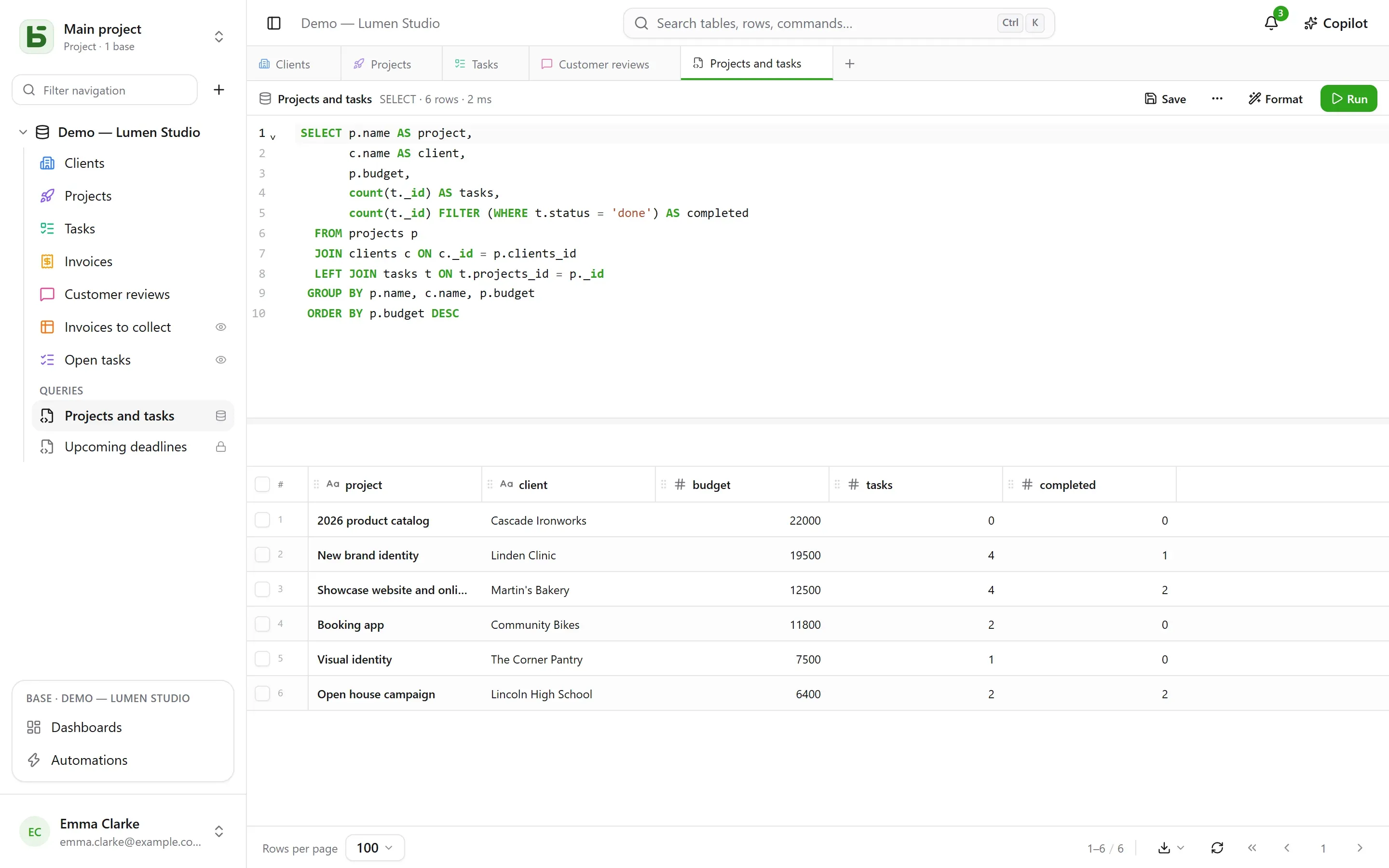
Section titled “Everyone with their own permissions”The + in the tab bar, or the base’s ⋯ menu → SQL query, opens an SQL tab: an editor with syntax highlighting and completion, Ctrl+Enter to run, and the result in the same grid as your tables. What the query can read depends on who runs it:
- with the Manage level on the base, the whole base, writes included;
- with the Read or Edit levels, the query runs read-only, with your own
permissions. A table closed to you does not exist for it; a field hidden from you
disappears from
SELECT *and is refused if you name it, even when qualifying the table; a write is refused. The result carries the Your permissions badge.
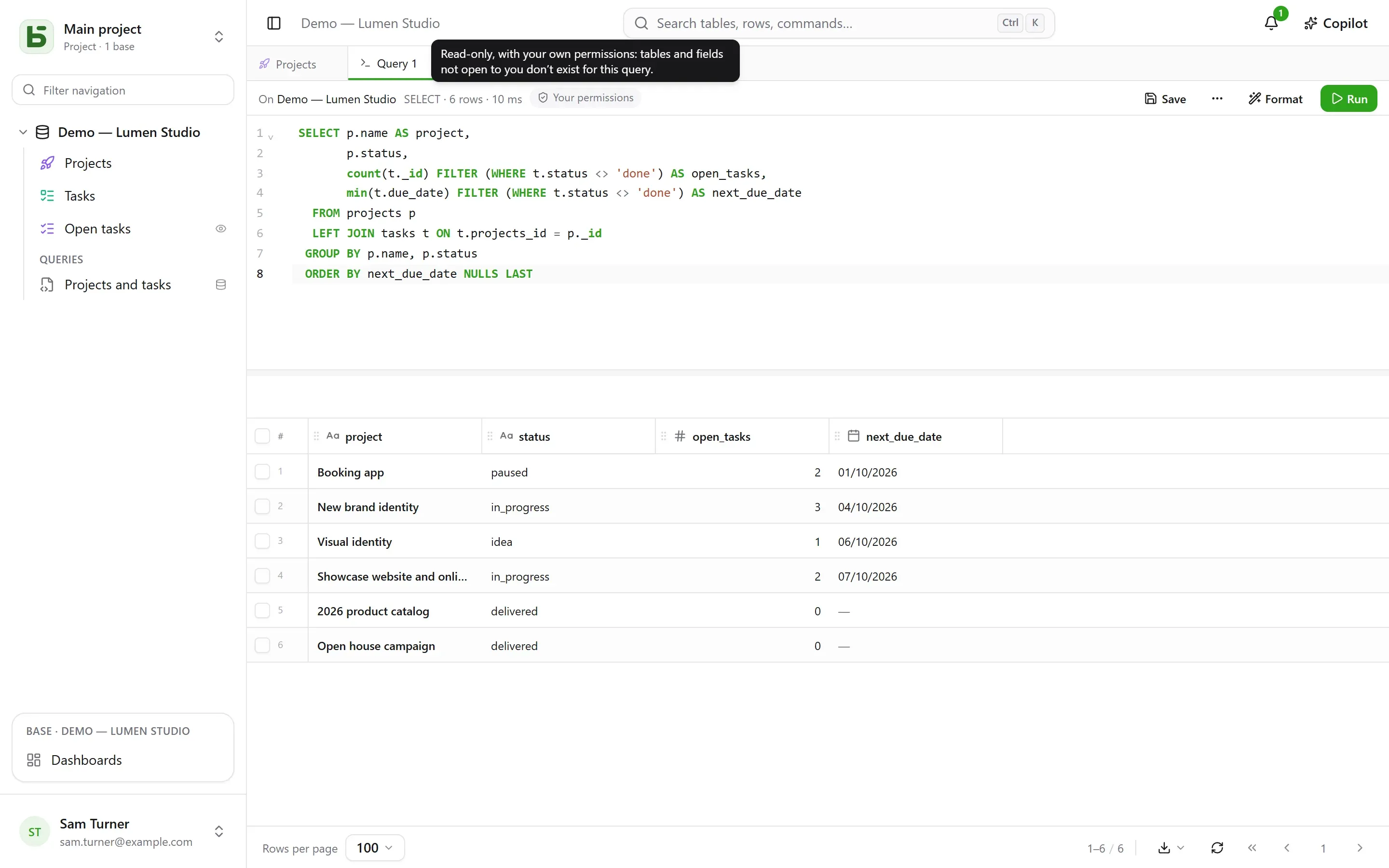
It is not the screen that filters: PostgreSQL itself applies your permissions, column by column, through a role of your own. A query therefore cannot show you anything that the grid, the API or the MCP server would not show you.
Saving a query
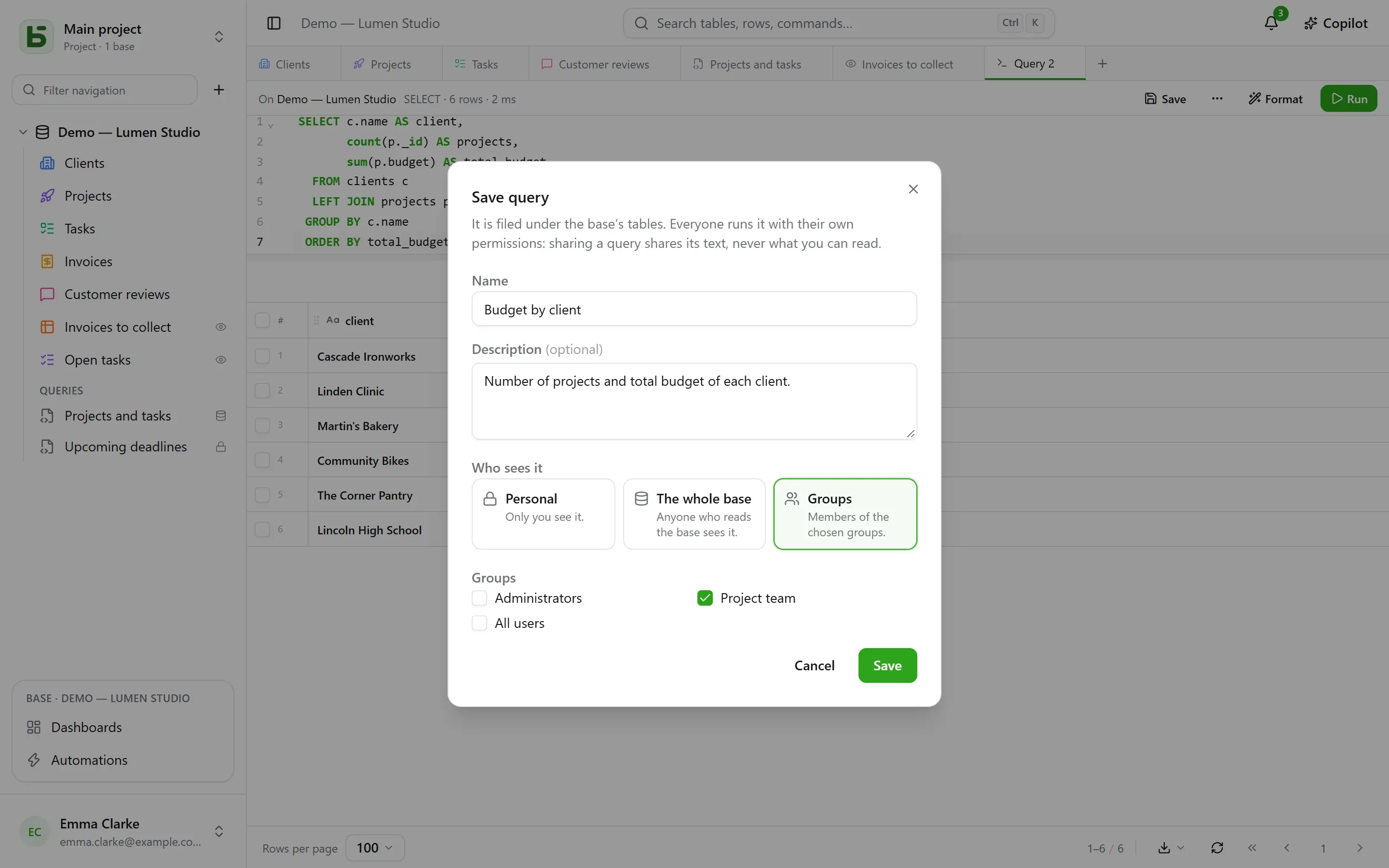
Section titled “Saving a query”Save, in the tab’s bar, files the query under the base’s tables, in the Queries section. It reopens in one click; ⋯ → Save as… makes a copy of it, Name and sharing… (in the tab or in its sidebar menu) renames it, changes who sees it, or deletes it — Delete is also in its menu, with a right click. A tab that was showing it keeps its text.
| Scope | Who sees it | Who can create and edit it |
|---|---|---|
| Personal — a padlock | only you | anyone who sees the base, for themselves |
| Whole base | anyone who sees the base | the Manage level on the base |
| Groups | the members of the chosen groups | the Manage level on the base |
Sharing a query shares its text, never what its author can read. Everyone runs it with their own permissions: the same query, opened by two people, shows each of them what they are allowed to see — or tells them that a column does not exist for them.
A query opened from the sidebar runs at once, read-only: you see its result without having decided anything. Run then runs it again as it is. A dot next to its name signals that you have changed its text since it was saved; Save stores it there if you can edit it, and otherwise offers to make a new one.
SQL views
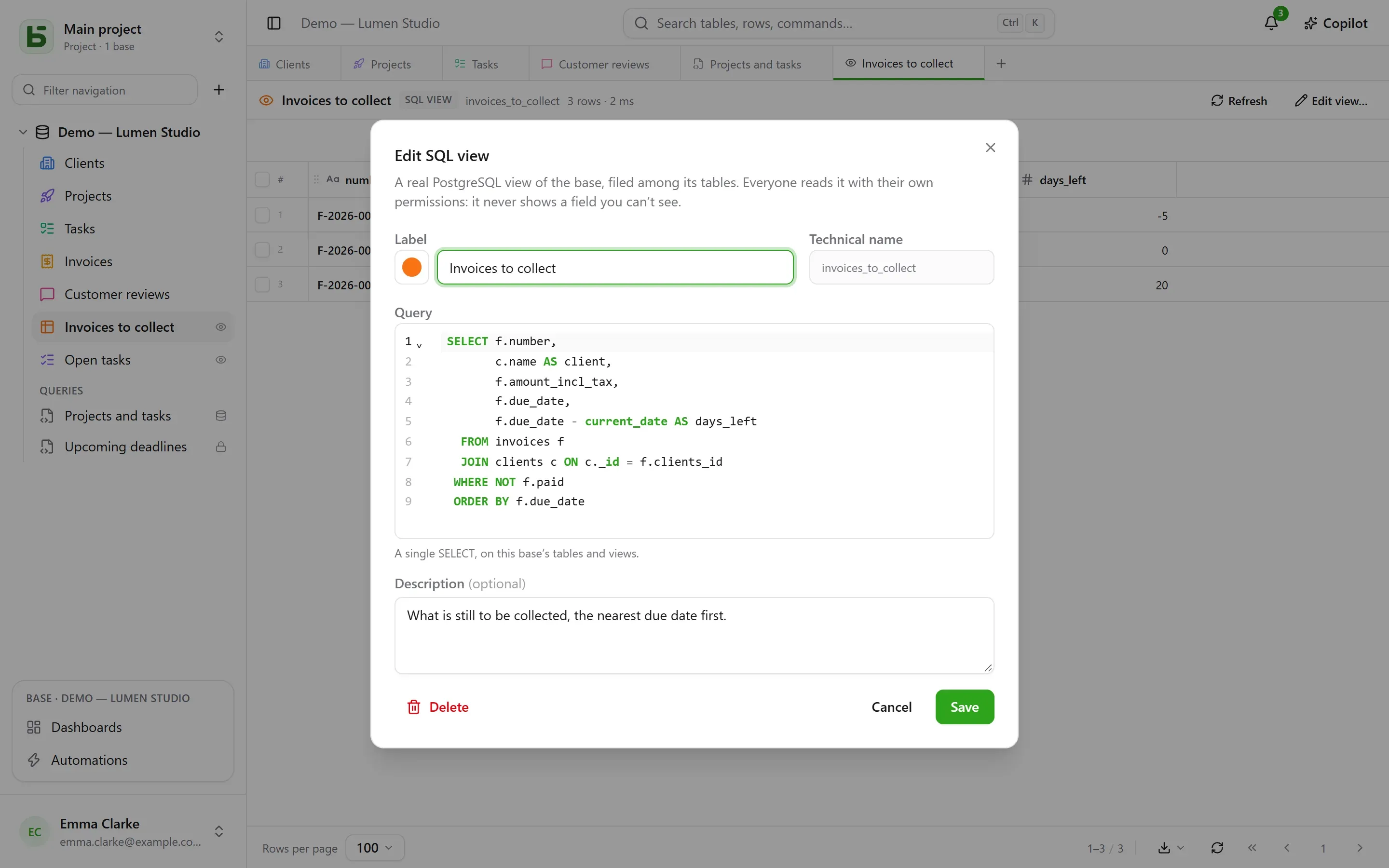
Section titled “SQL views”An SQL view is a real PostgreSQL view in the base’s schema. It takes its place among the tables, with its color and icon like a table, and a small eye on the right that says it is a view. A click opens it in a tab: its rows in the grid, Refresh to read them again.
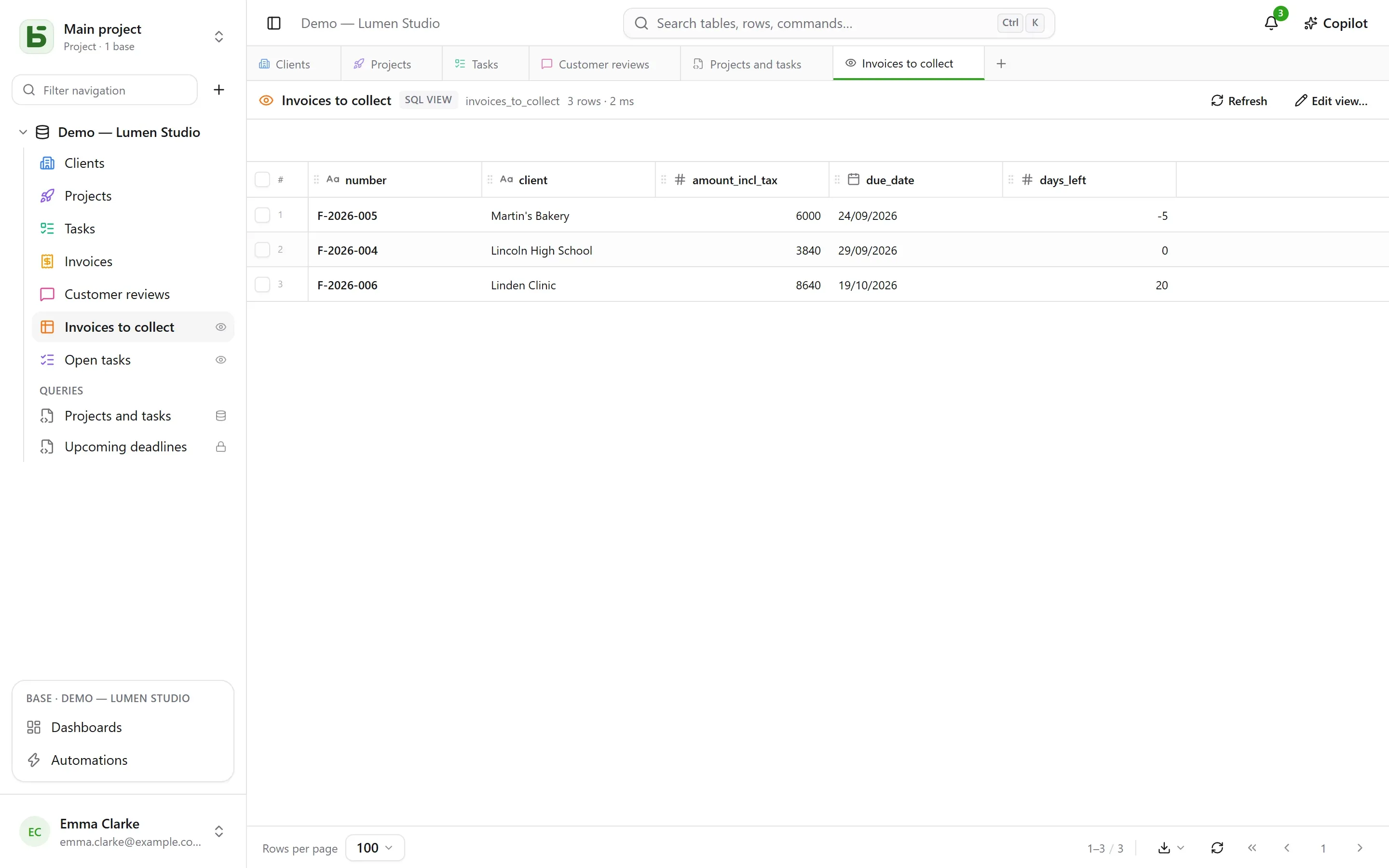
It is created from the base’s ⋯ menu → New SQL view…, or from an SQL tab: ⋯ → Create SQL view…, and the tab’s query becomes its definition. The dialog asks for:
- its label and its appearance — color, icon or image, chosen as for a table;
- its technical name, derived from the label if you do not give one — the one you write
after
FROM; - its query: a single
SELECT, on the tables and other views of the base. PostgreSQL refuses what it refuses, and the editor points to the spot.
The view is then read under its name, from the interface as well as from psql or your BI
tool:
SELECT * FROM b_t4z56fq_demo_atelier_lumen.factures_a_encaisser;A view never shows a field you cannot see. Everyone reads it with their own permissions, on every table and every column it reads; the sidebar only lists it for those who can read everything it reads. It only reads its own base: another base, or basedb’s catalog, are refused at creation. Creating, editing or deleting one requires the Manage level on the base. Delete, in its sidebar menu, removes it for everyone, scripts and tools included; the tables it reads are not affected.
When the schema changes
Section titled “When the schema changes”- Renaming a table or a field does not break a view: PostgreSQL follows it.
- Changing the formula of a computed field it reads removes it for a moment, then puts it back on the new column. If it no longer holds, it stays to be fixed — a triangle shows it in the sidebar — with its definition kept: Edit view…, fix it, save.
- A table is not purged as long as a view reads it, and a view is not deleted as long as another view reads it: the refusal names the view at fault.
Query, SQL view or question?
Section titled “Query, SQL view or question?”| What it is | Where it lives | For | |
|---|---|---|---|
| Saved query | an SQL text | under the tables, in the “Queries” section | finding a query again, sharing it as text |
| SQL view | a real PostgreSQL view | among the tables | giving a name to a reading, for the interface and for psql, your scripts, your tools |
| Question | a reading built with the mouse or in SQL, and its visualization | in dashboards | a number, a chart, a pivot table, under filters |
Limits
Section titled “Limits”- The grid shows at most the number of rows per page chosen at the bottom of the screen; “truncated” signals it. A query stops after 15 seconds.
- An SQL view can be read in SQL and in the interface; the REST API and the MCP server do not expose it.
- An SQL view stays in the environment where it was created: creating an environment, comparing the schema or saving a template do not carry it yet.
basedb is open-source software by Eodia, an AI-native software studio.