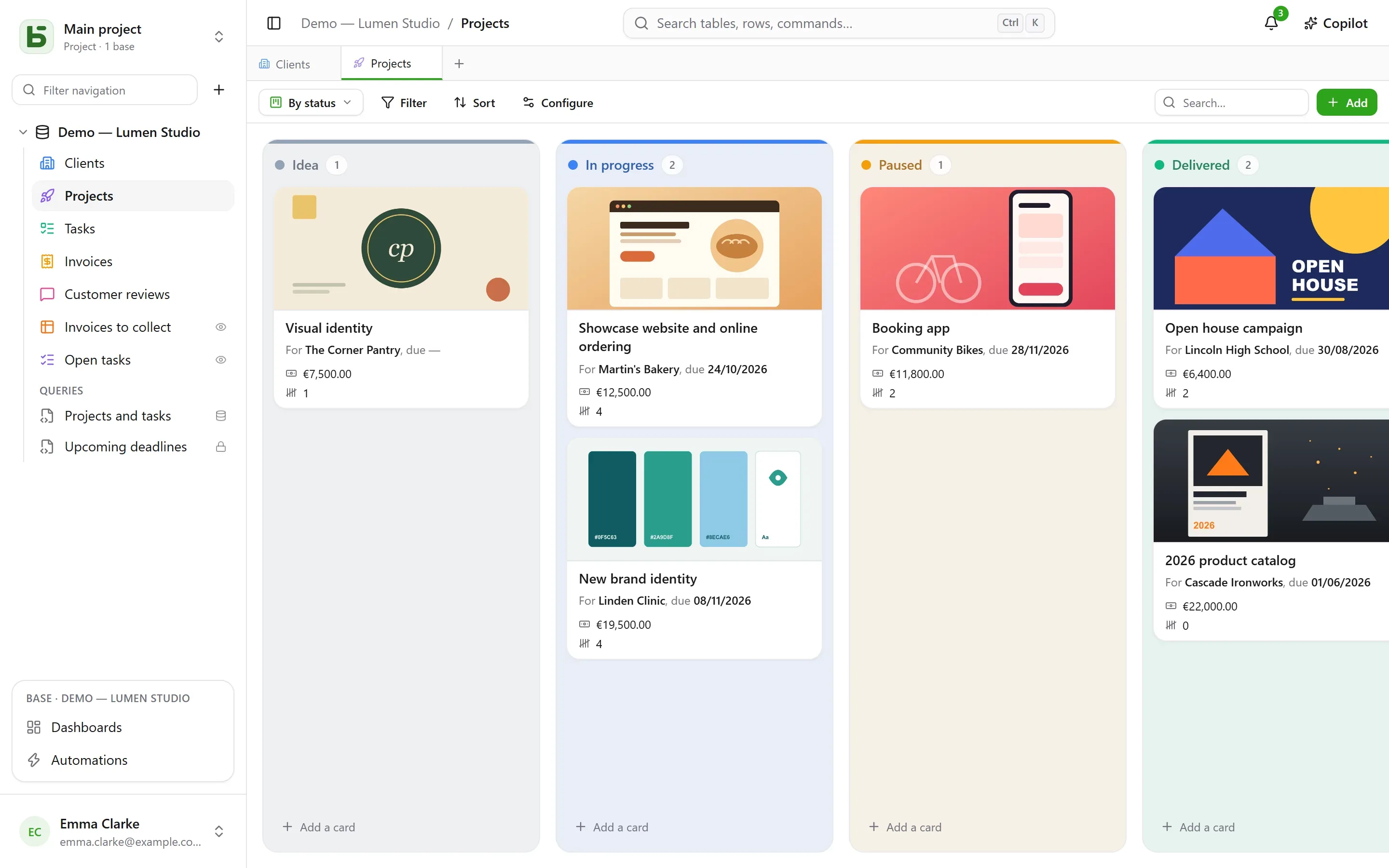
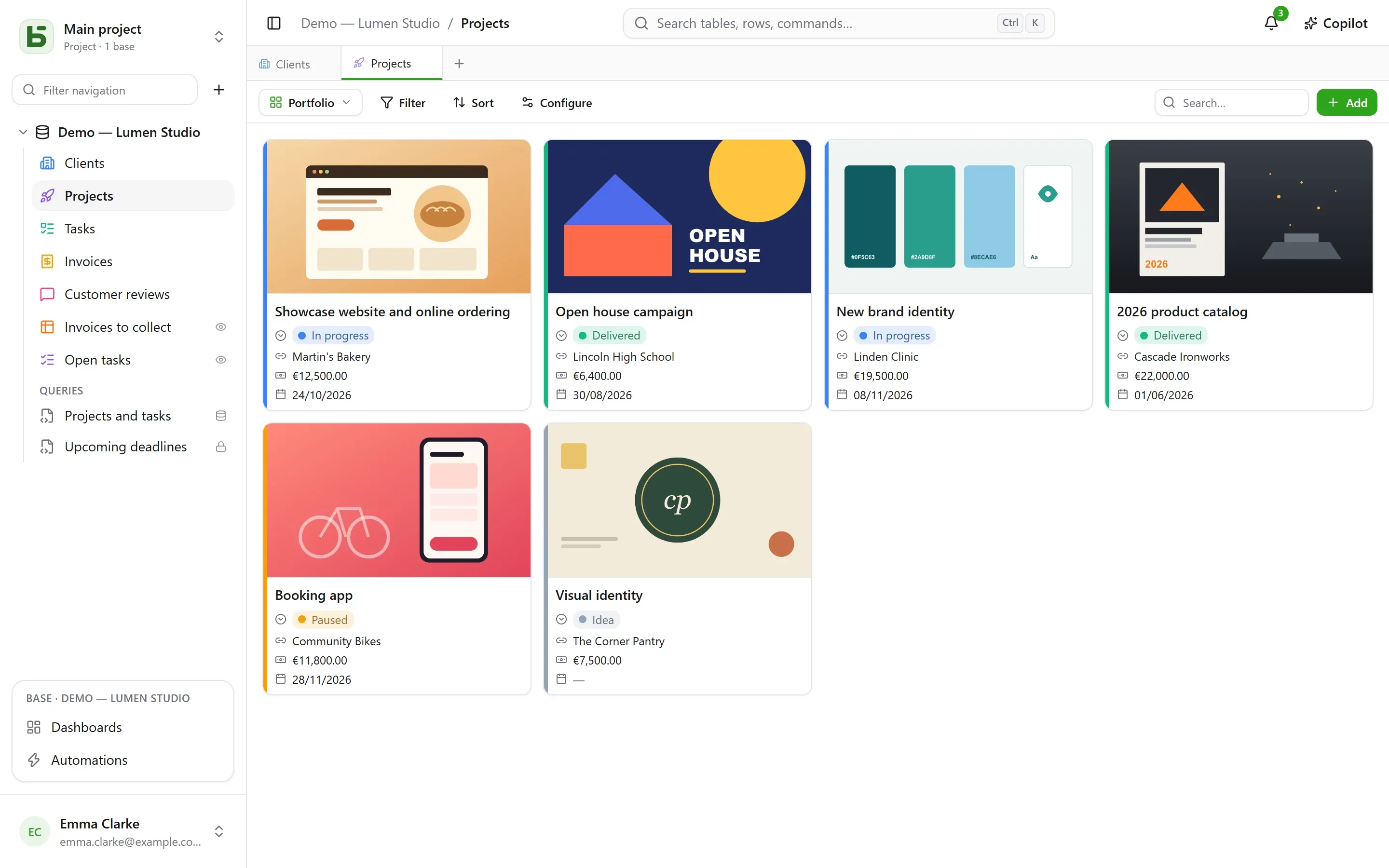
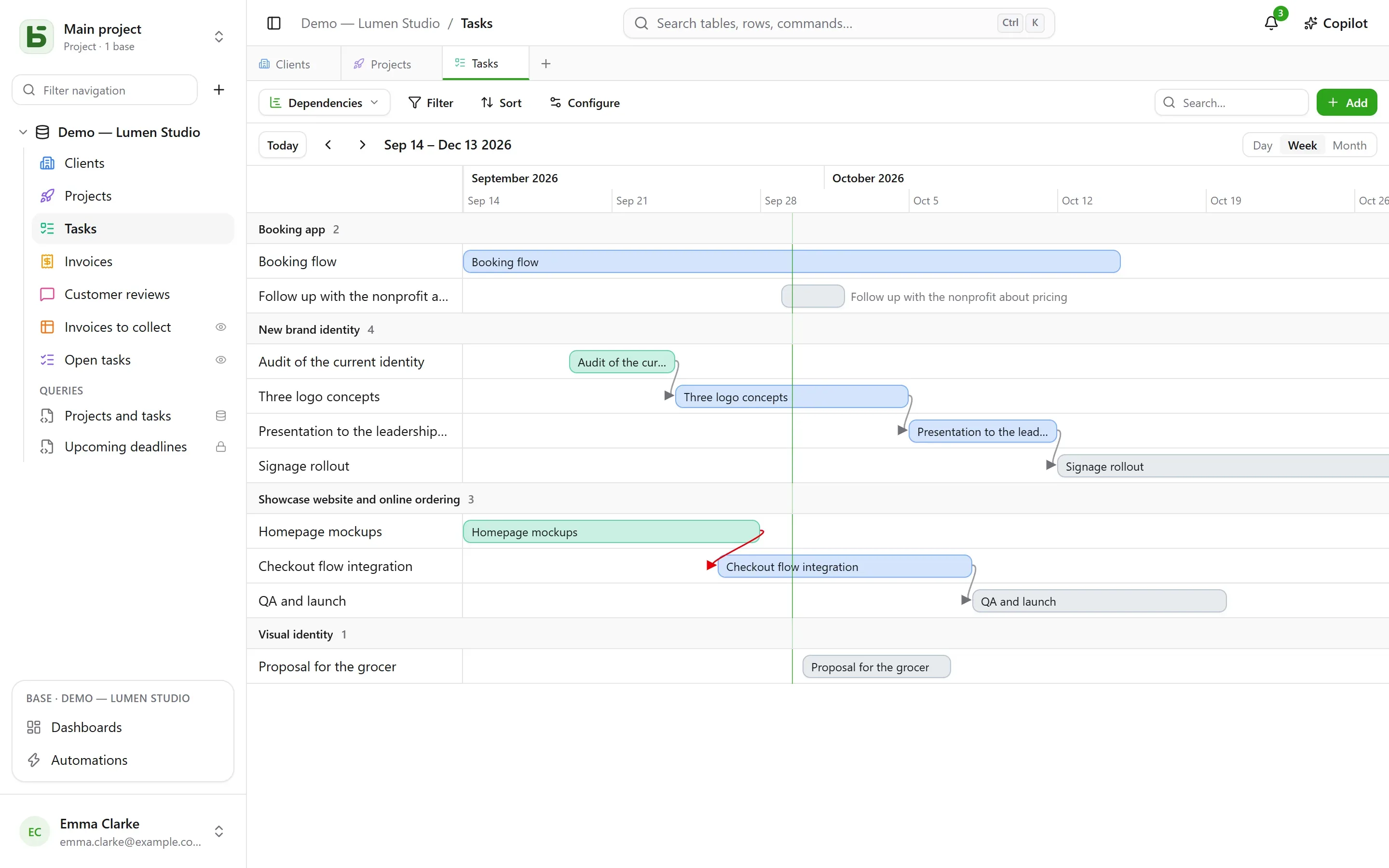
Ten views of the same rows
Collaborative for the whole team, or personal for you alone: everyone picks their own way of reading, and nobody copies the data.
GridKanbanCalendarTimelineGalleryListMapFormSurveyQuiz
Organize
Tables and fields Fields for everything, relations, and formulas like in a spreadsheet. Ten views Grid, kanban, calendar, timeline, gallery, list, map, form, survey, quiz. Forms A link to share: every response becomes a row. Files and images Quotes, photos, contracts, filed with their row.Integrate
REST API The same data as the interface, described in OpenAPI 3.1. MCP server Tools for your AI agents, under your permissions. Webhooks Every write, signed, ordered, retried. Direct SQL Real PostgreSQL tables, plainly named. Synced tables Tables kept up to date from elsewhere.Host
Docker Compose One image, one PostgreSQL database, a single port. Variables Everything is set in the .env file. Domain and HTTPS Behind your proxy, or with the bundled Caddy. Sign-in and SSO Google, Microsoft, any OpenID Connect provider. Backups and updates pg_dump, and updates without loss.The simplicity of a shared spreadsheet — grids, views, forms, permissions — with data that lives in tables that are typed and plainly named. Your team works in the interface; your scripts, your BI tools, your AI agents and psql read the same rows.
docker compose up -d 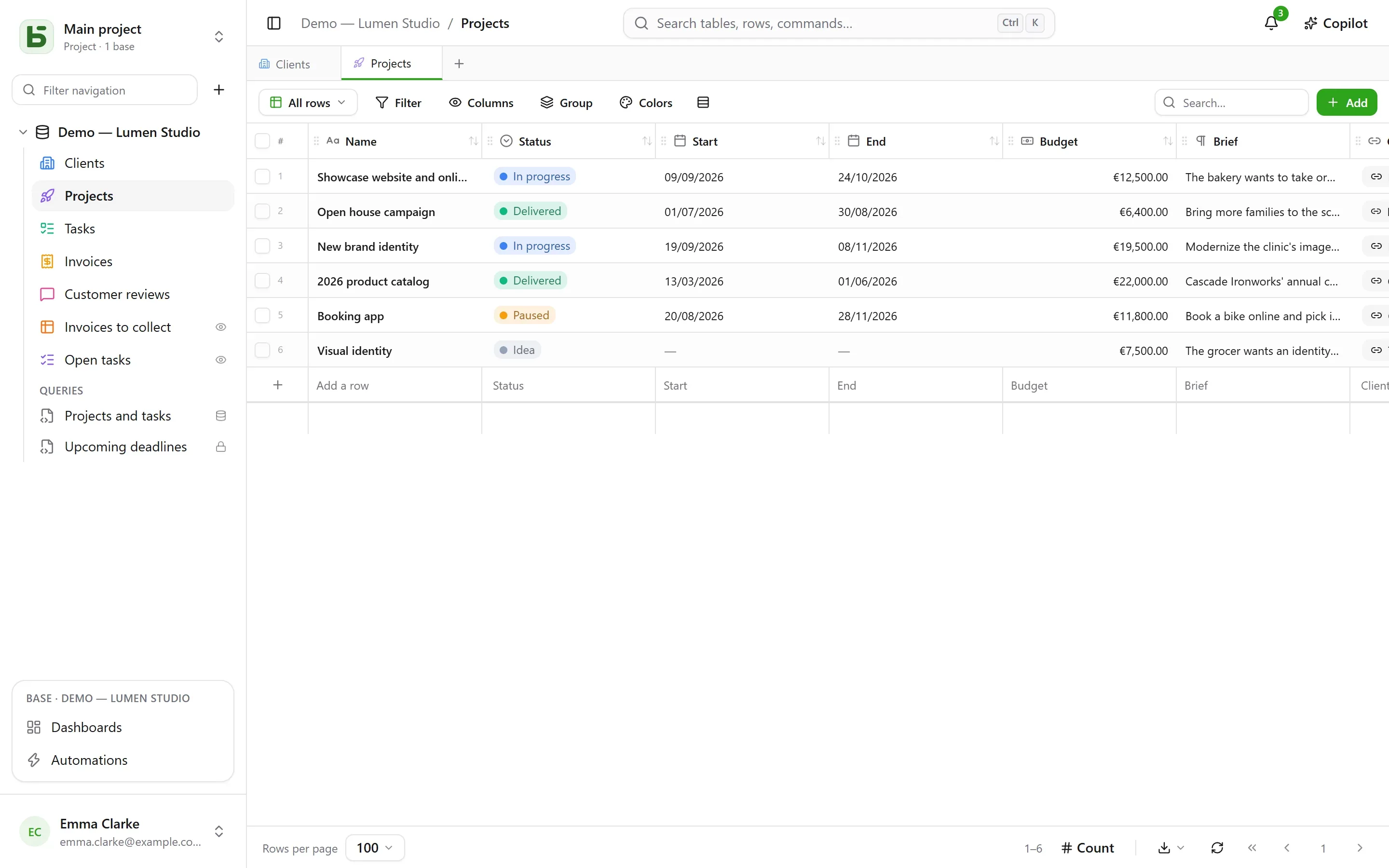
No generic model, no catch-all JSON, no field_1837: a base is a schema, a table is a table, a field is a typed column with a readable name.
text, numeric, date, timestamptz, boolean — and real foreign keys for relations. CHECK, web and email addresses validated, relations as FOREIGN KEY. JOURS([Fin]; [Début]) becomes a generated column, which psql reads like any other. psql reads too. ALTER TABLE b_t4z56fq_ventes.opportunites ADD COLUMN montant numeric(38,10); COMMENT ON COLUMN …opportunites.montant IS 'Contract amount, excluding tax';
| nom | text |
| statut | text |
| montant | numeric(38,10) |
| echeance | date |
| clients_id | uuid → clients |
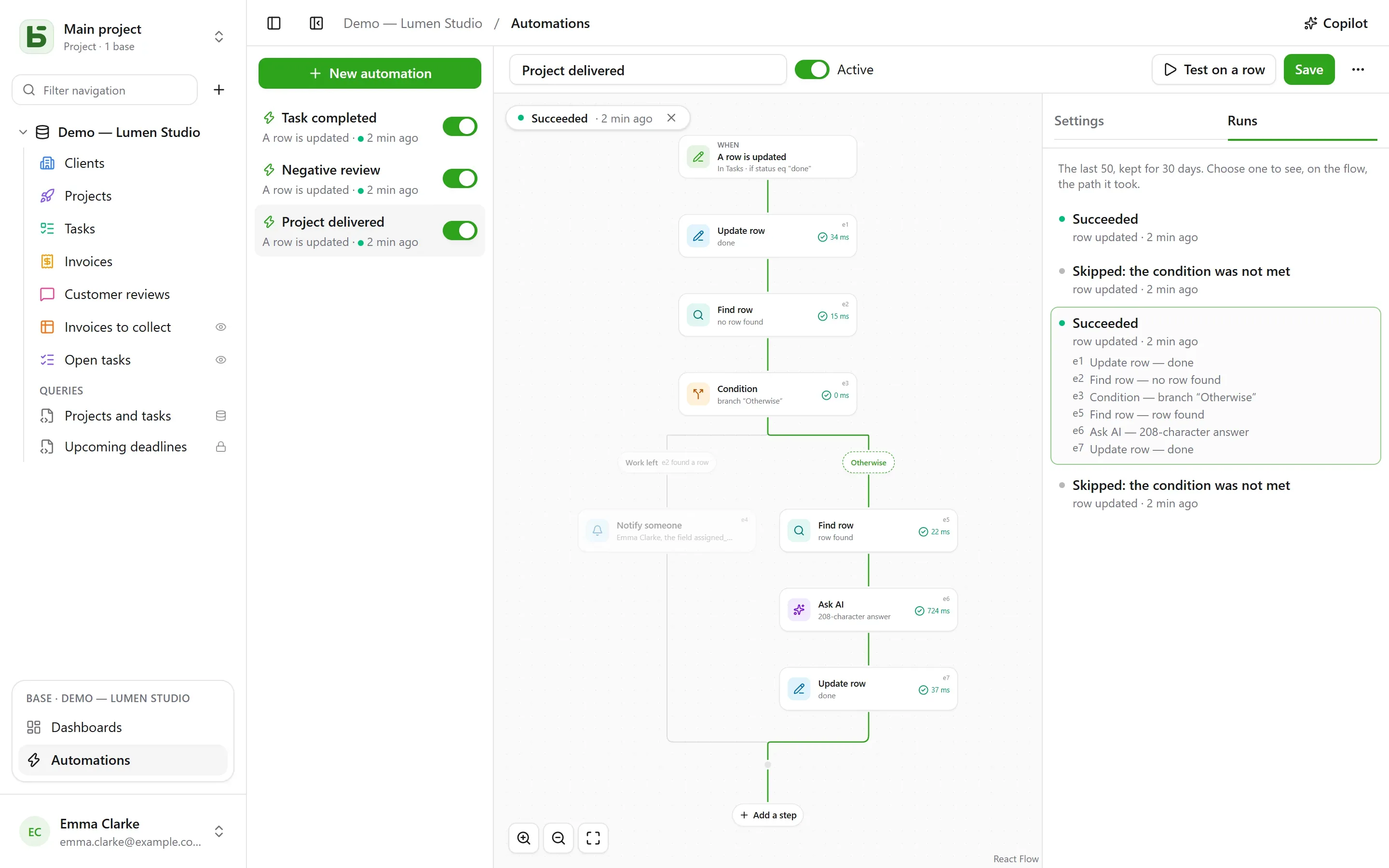
When a row changes, at a set time or with a click: a graph editor chains the steps, and every run can be reviewed on the flow.
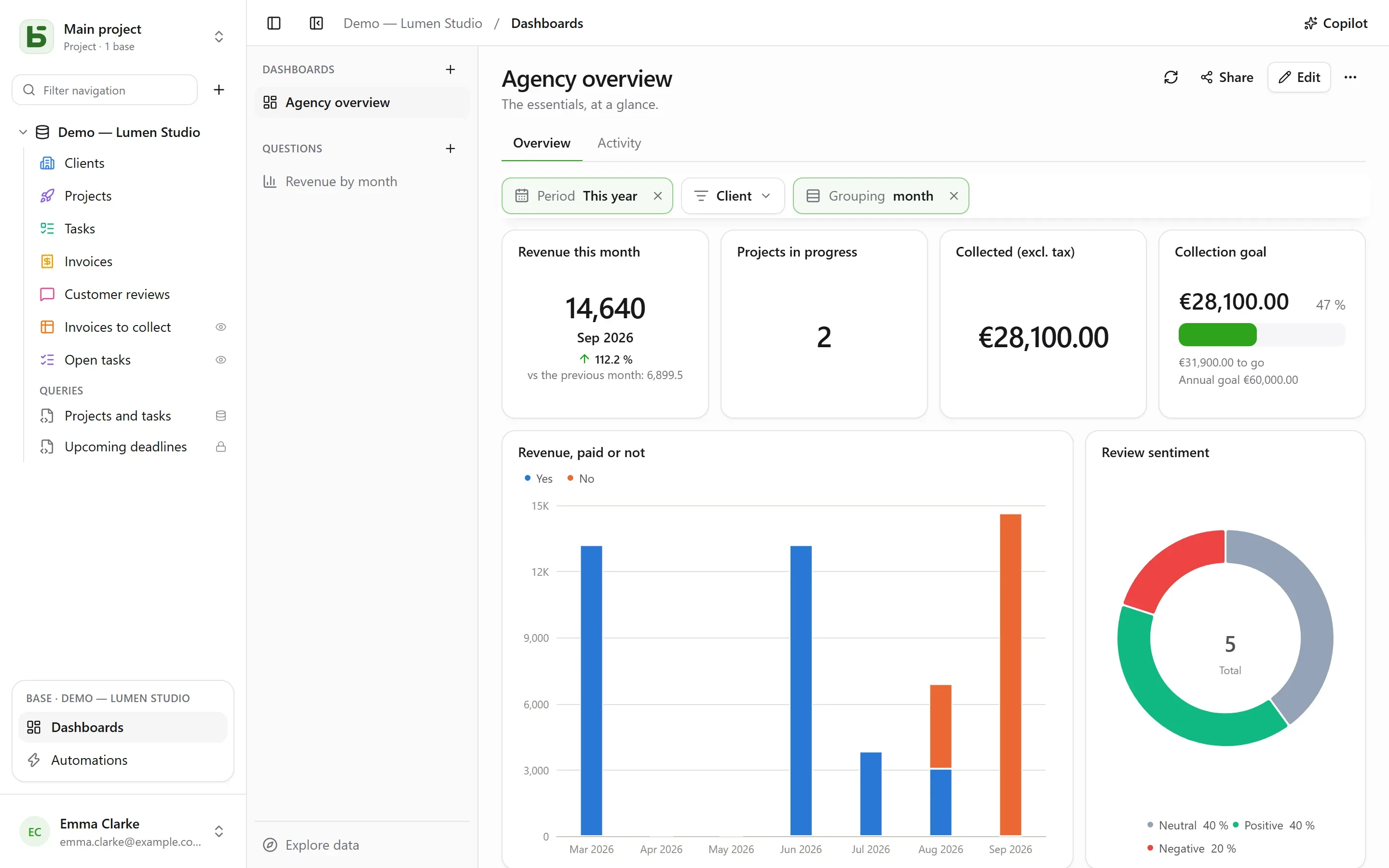
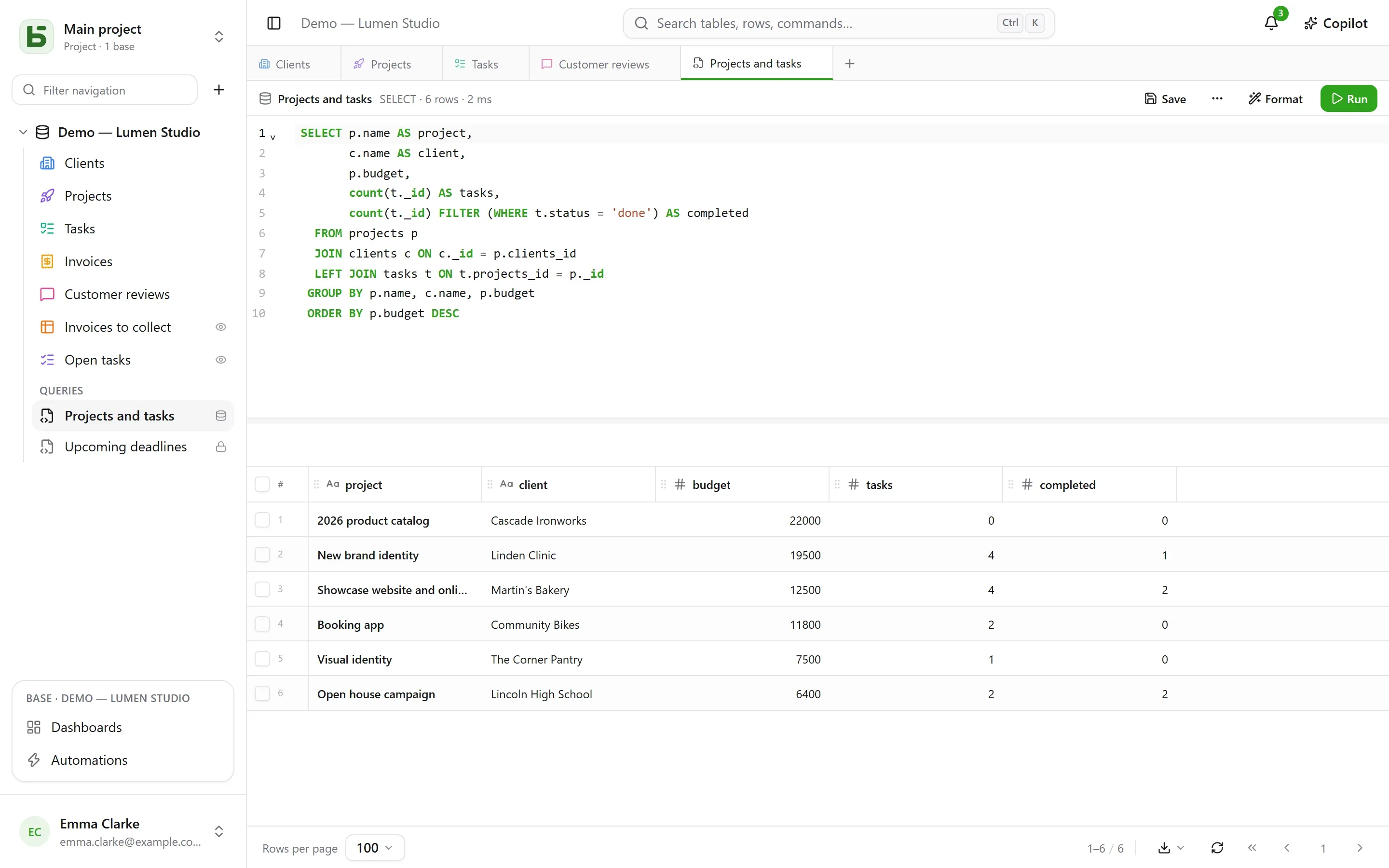
Questions asked with the mouse or in SQL, fifteen visualizations, shared filters — everyone reads them with their own permissions.
Permissions are granted to groups, on a project, a base or a table, and flow down to everything below. A sensitive column can be hidden from a group, or made read-only for it.
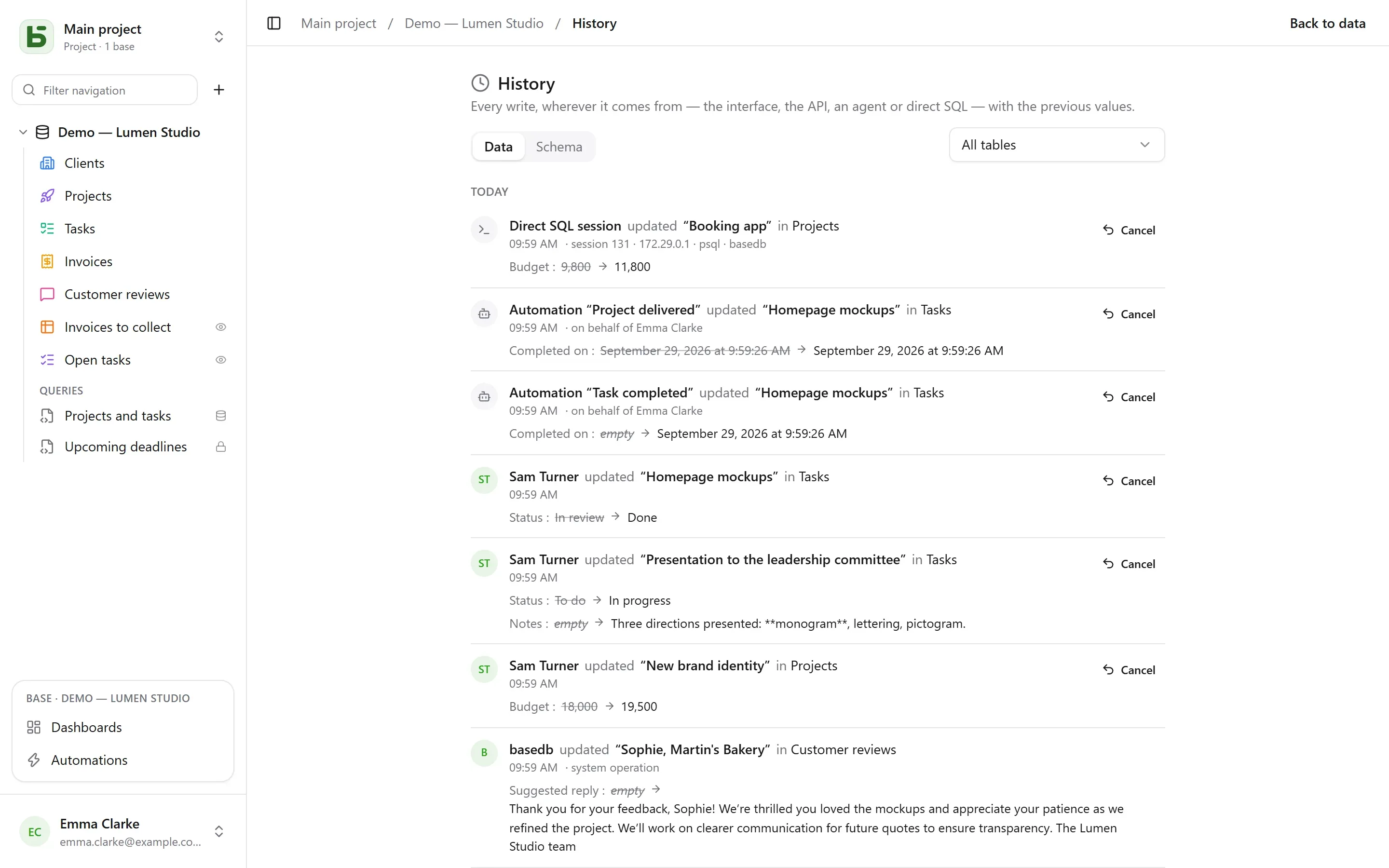
Direct SQL session updated “ERP migration”
02:46 · local connection · psqlAmount: 125,000 → 130,000
Form “Quote request” created “Intranet redesign”
public response · published by CamilleThe MCP server gives agents fifteen tools; the REST API gives your programs the same data. A single point of permission control, the same logs.
list_records opportunites · statut = Negotiation propose_add_field opportunites · Probability · number Add the “Probability” field (Number) to Opportunities
Proposed by the agent · “Sales” token
Every feature writes to the same tables, under the same permissions, into the same history.
Collaborative for the whole team, or personal for you alone: everyone picks their own way of reading, and nobody copies the data.
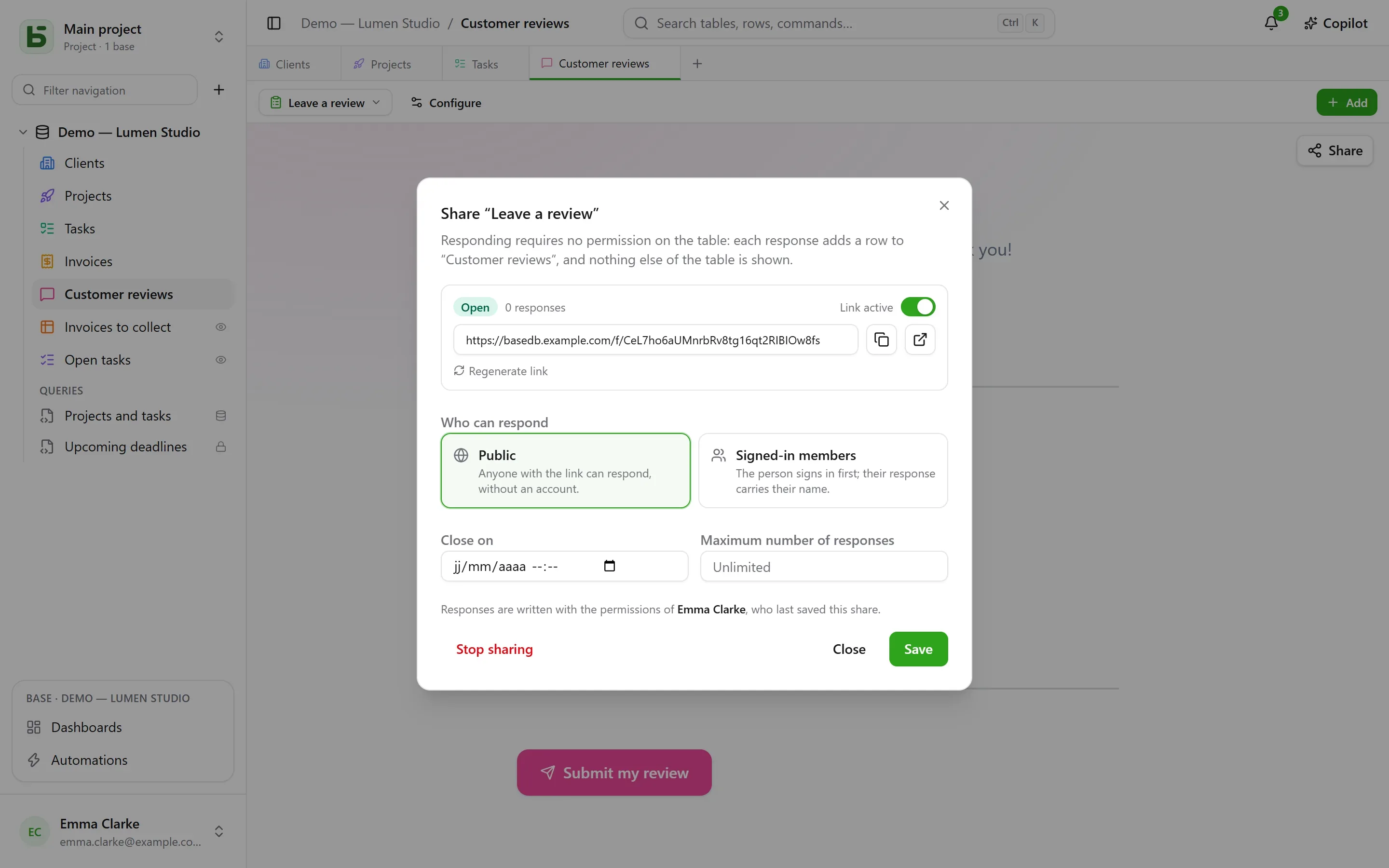
A public link, or one restricted to signed-in members. Responding grants no permission on the table.
/f/uIPJZ4Ensr_K8V0In0bb… One base, several variants. Compare the schema, migrate from one to another, sync rows.
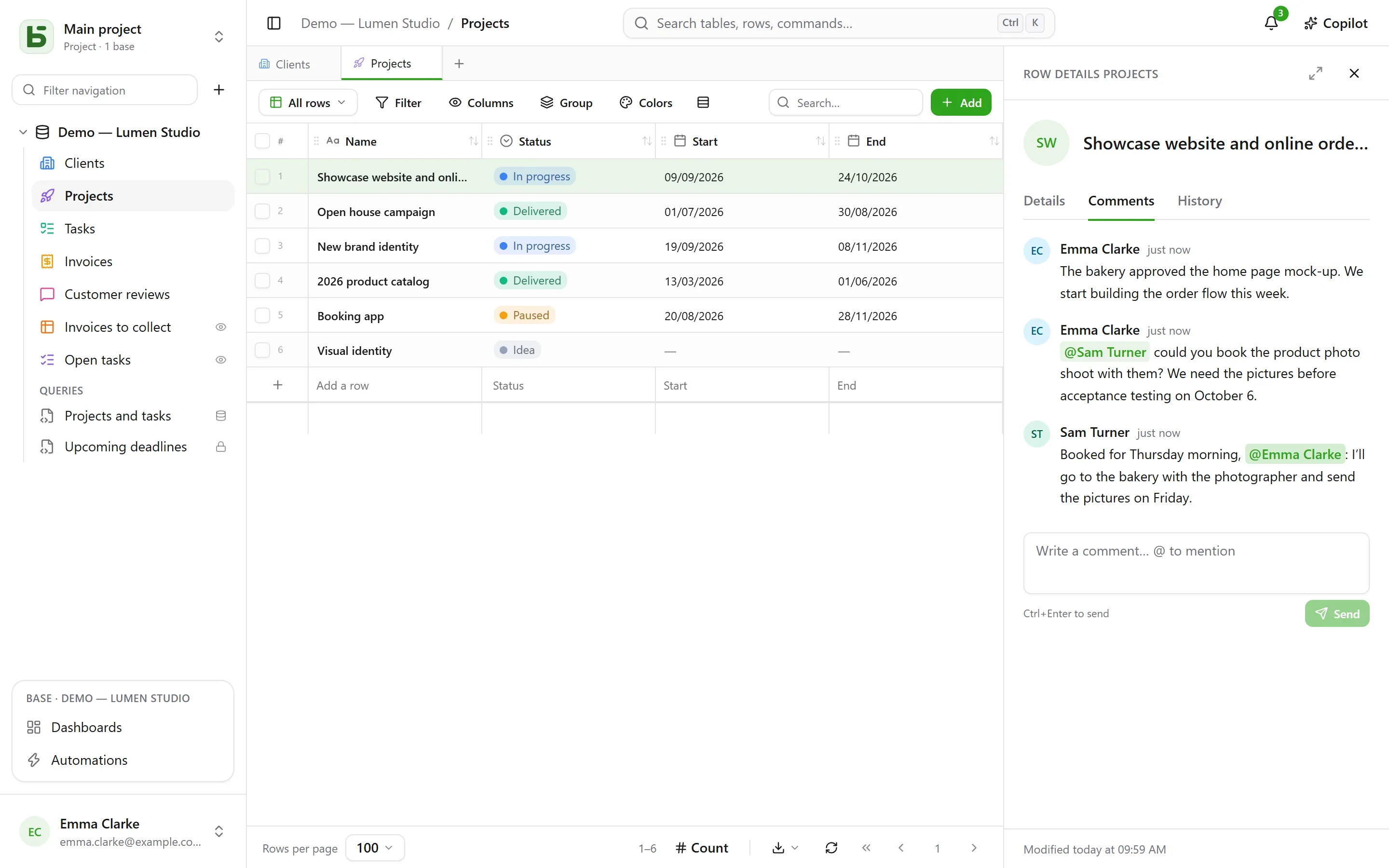
Other people’s writes arrive in real time, you see who is looking at which row, and you discuss it right where it is: comments, mentions, notifications. Ctrl+Z undoes the last write, and refuses rather than overwrite someone else’s work.
A field filled in by a model from the other columns, and a Copilot that suggests filters, queries and columns, applied in one click. OpenAI, Anthropic, Mistral, or a model served on your own machine.
Summarize {{Notes}} in one sentence Real foreign keys, formulas written in French or English and computed by PostgreSQL, and lookups, rollups and counts across relations.
ROUND([Montant HT] * (1 + [Taux de TVA]), 2) A visual editor for formatted text, sanitized on write; and in any long text, {{Ville}} reads as the row’s value.
Delivery on {{Date}} in {{Ville}} A read-only view through a link, embeddable in another site; a calendar becomes a feed for your calendar app.
A table kept up to date from an online CSV, a calendar, or another basedb’s shared view.
Ten ready-to-use templates, a base described to the AI in one sentence, and your own saved as a template.
On the host’s disk or in S3-compatible storage: AWS, Scaleway, OVH, Cloudflare R2, Garage, MinIO…
Drop a file: the import guesses the types, creates the table or fills an existing one, and tells you row by row what was rejected.
Everyone creates their own account and projects, and invites others through a link with Read, Edit or Manage; sign in with a password, Google, Microsoft or any OpenID Connect provider.
Every write can notify another system: signed payloads, delivered in order, retried.
Your language, your theme, the date order, your notifications, your sessions and your tokens, all in one place.
The interface uses your browser’s language, one of twenty; everyone can change it in their settings.
basedb is free software (AGPL-3.0): a single image, a PostgreSQL database, and that’s it — no mandatory third-party service, no telemetry. Back it up with pg_dump, read it with any PostgreSQL client.
db PostgreSQL 16, your data basedb The interface, the REST API and the MCP server, on a single port proxy Caddy, automatic HTTPS (optional) git clone https://github.com/eodia/basedb.git
cd basedb && cp .env.example .envPOSTGRES_PASSWORD=a-strong-password
# openssl rand -base64 32
BASEDB_ENCRYPTION_KEY=…docker compose up -d
# then http://localhost:3000: create your accountIn where the data lives. Where others store your rows in a generic model (numbered columns, JSON documents), basedb creates a real PostgreSQL table for each table and a real typed column for each field, with readable names. Your data stays usable without basedb.
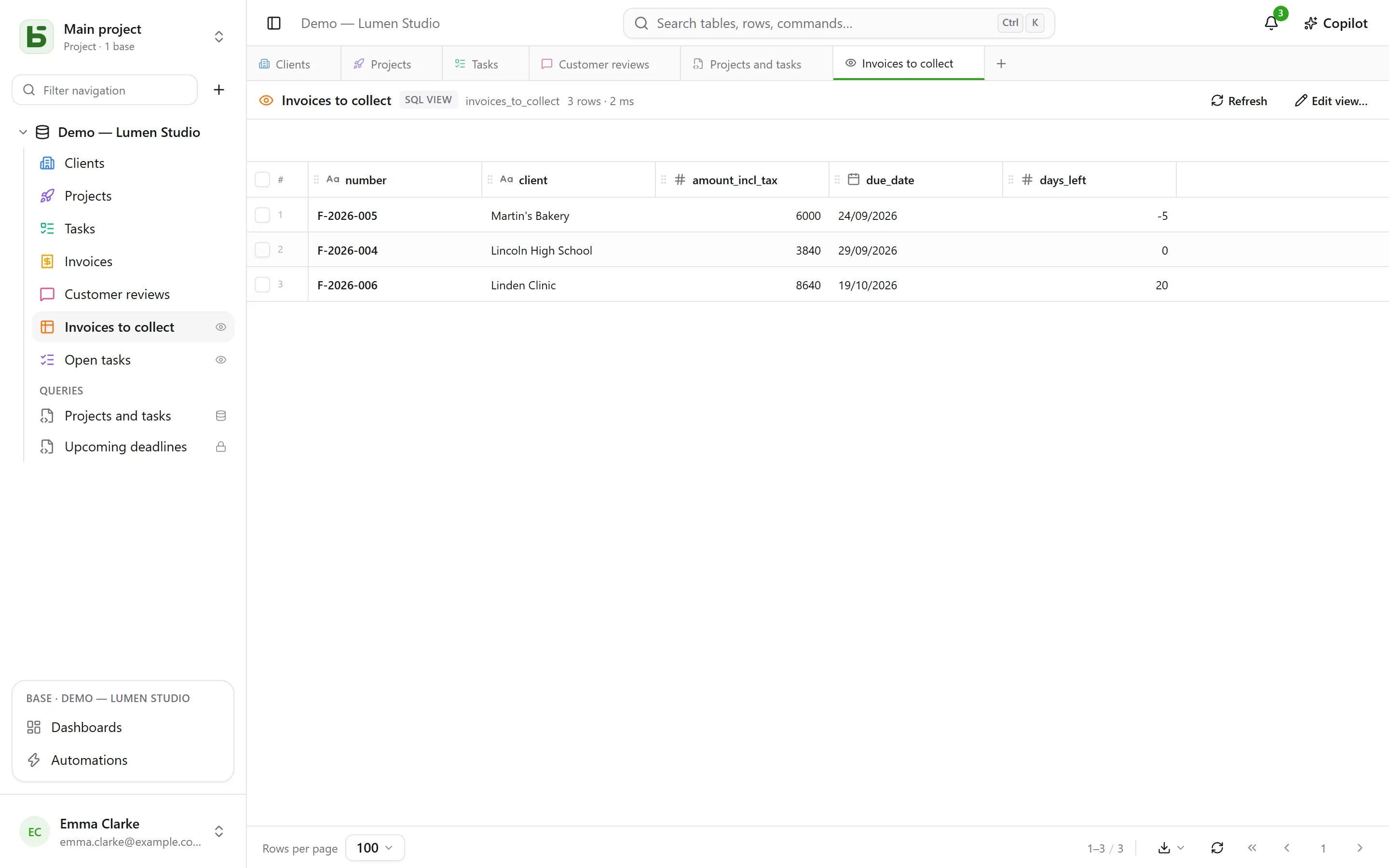
Yes. Constraints (types, required, single selects, foreign keys) are enforced by PostgreSQL itself, and a trigger records even direct SQL writes in the history, along with the session that made them. The interface’s SQL console and psql read the same tables; in the interface, everyone writes SQL with their own permissions, saves their queries and, if they manage the base, turns them into real PostgreSQL views.
Nothing until you configure a provider. After that, for schema drafts and Copilot, only the schema and your sentence are sent by default; letting Copilot read data is a checkbox, per conversation. A base template requested from the AI sends only your sentence. An AI field sends the columns its prompt cites, after explicit consent.
Yes. Other people’s writes appear without reloading, with their face on the table or row they’re looking at. You comment on a row, mention someone with @, and the bell lets them know. And Ctrl+Z only undoes your own writes: it refuses rather than overwrite what someone else has changed since.
Twenty: French, English, German, Spanish, Italian, Brazilian Portuguese, Dutch, Polish, Czech, Swedish, Danish, Norwegian, Finnish, Romanian, Hungarian, Turkish, Ukrainian, Japanese, Simplified Chinese and Korean. The interface uses the browser’s language, and everyone can change it in their settings; this site and the documentation exist in the same languages.
Through the MCP server, with an integration token limited to one base, read-only by default. An agent reads, creates and updates rows according to its permissions — and deletes them, one at a time, if its token was created for that; it doesn’t change the schema: it proposes, and a person approves.
PostgreSQL 16 or later, with the pg_trgm and unaccent extensions (available in the official image). The provided docker-compose starts a PostgreSQL 16; you can also point DATABASE_URL to your own server.
basedb is under active development: the core, the API, the MCP server and the interface work and are covered by more than a thousand tests, but some features are still to come (see the roadmap). Try it, and back up your database as you would any PostgreSQL database.
AGPL-3.0-or-later. You can use, modify and host it freely; if you offer a modified version as a service, you share its source code.
Install basedb in minutes, invite your team, and stay in control of every row.